
|
Do it yourself
| |||
| ||||


How to install the USB socket on the Volkswagen Transporter T5
Model: Volkswagen Transporter
T5, MK 5
- Years 2003-2014
In this video, we can see how to install the USB socket on the Volkswagen Transporter T5: we remove the ashtray, through which we pass the red and brown wires, with the brown one being the ground and the red one being active. The YouTuber used a piggyback connector so that he could connect the power cable without cutting them: this way, the modification is easily reversible and reduces the risk of short circuits. He put in a black wire that he ran up to the 10 amp fuse. From there, it will go to the USB port that will be installed in the panel, where we will make a hole of appropriate size to pass the port through.
Posted on 21 January 2026 by ScegliAuto
Video tutorial
Related tutorials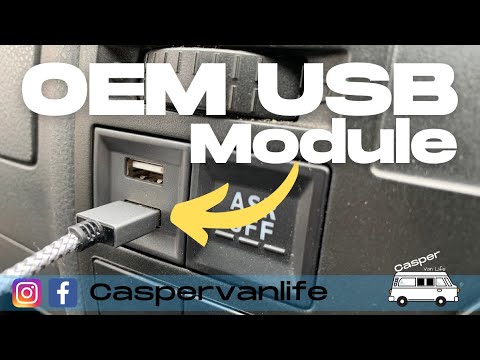
Volkswagen Transporter
(2003-2014 /
T5, MK 5)
In this short guide, you will discover where to find the internal fuse box on the Volkswagen Transporter; additionally, you will learn how to install…

Volkswagen Transporter
(2003-2014 /
T5, MK 5)
Today's guide will show us how to disassemble and replace the headlight bulb of the Volkswagen Transporter. First, we open the hood of the car and st…

Volkswagen Transporter
(2003-2014 /
T5, MK 5)
This short and simple guide will illustrate the steps on how to install the armrest on the driver's seat of the Volkswagen Transporter. First, let's …
Other guides you may be interested in
|
How to reset the tire pressure sensor of the Hyundai Tucson
Below we will discover the instructions that will allow us to reset the tire pressure warning light (TPMS) of the Hyundai Tucson. First of all, we get into the car and turn on the instrument panel; then we go to the vehicle settings until we reach the tire pressure monitor, identifying the tire with the incorrect pressure. At this point, we proceed to restore all tire pressures, following the pattern indicated on the label; in this way the TPMS system will be reset and the warning light will be reset by the instrument panel! by ScegliAuto More videos
|
|
For advertising on this site Write to info@scegliauto.com
ScegliAuto is not responsible for any inaccuracy of the data in the lists. To report any inaccuracy or your business (if you own the business in question), please write to info@scegliauto.com
Number of seconds to generate the page: 0.057
(c) ScegliAuto 2026 - info@scegliauto.com - Privacy policy VAT number: IT01247470535 |
