
|
Do it yourself
| |||
| ||||


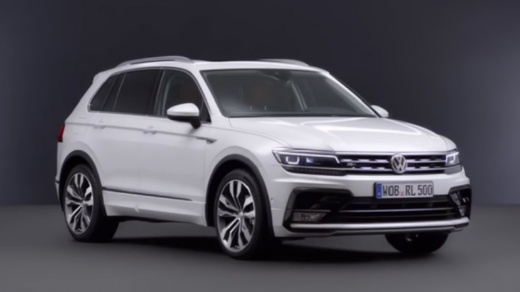
How to unlock voice commands on the Volkswagen Tiguan?
Model: Volkswagen Tiguan
BW, MK 2, AD
- Years:
2016, 2017, 2018, 2019, 2020, 2021, 2022, 2023, 2024, 2025
This video is currently unavailable
To unlock the voice commands on the Volkswagen Tiguan, you need to visit the official network: this feature can only be unlocked following the purchase of a specific package. Once the purchase is complete, you will be able to use voice commands to access features on the car's onboard computer: you can make calls, answer calls, play multimedia content, etc. This process is the same for all vehicles belonging to the Volkswagen brand.
Updated on 27 July 2026 by ScegliAuto
Related tutorials
Volkswagen Tiguan
(2016-2025 /
BW, MK 2, AD)
To unlock the voice commands on the Volkswagen Tiguan, as with all cars from this brand, you must go to an authorised centre. Here, the staff will un…

Volkswagen Tiguan
(2016-2025 /
BW, MK 2, AD)
In this guide we will see how to activate voice commands on the Volkswagen Tiguan, but also on the T-Roc and T-Cross. First of all, let's get on boar…

Volkswagen Tiguan
(2016-2025 /
BW, MK 2, AD)
In this short guide, we will see how to activate the voice commands of the Volkswagen Tiguan, in simple and quick steps. Voice commands are useful to…
Other guides you may be interested in
|
How to Reset the Tyre Pressure Warning Light on the Opel Mokka?
To reset the tyre pressure warning light on the Opel Mokka, turn on the ignition by inserting the key into the ignition switch. Once the ignition is on, navigate through the menu that appears on the dashboard by pressing the MENU button on the lever to the left of the steering wheel. When the tyre pressure option appears, press and hold the SET/CLR button located on the same lever. This will reset the warning light, and you can then turn off the ignition. by ScegliAuto More videos
|
|
For advertising on this site Write to info@scegliauto.com
ScegliAuto is not responsible for any inaccuracy of the data in the lists. To report any inaccuracy or your business (if you own the business in question), please write to info@scegliauto.com
Number of seconds to generate the page: 0.046
(c) ScegliAuto 2026 - info@scegliauto.com - Privacy policy VAT number: IT01247470535 |
