
|
Do it yourself
| |||
| ||||


How to Change the Interior Light Colour on the Volkswagen T-Roc?
Model: Volkswagen T Roc
MK 1
- Years:
2017, 2018, 2019, 2020, 2021, 2022, 2023, 2024, 2025
Video tutorial
To change the colour of the interior lights on the Volkswagen T-Roc, turn on the instrument cluster by inserting the ignition key into the remote. Once the cluster is powered on, select "Setup" to access the next screen. Then, choose "Ambient Lighting" to access the screen where you can modify the colour using the bar that appears at the bottom of the screen. Select your desired colour, then return to the main screen to verify the change.
Updated on 5 September 2026 by ScegliAuto
Related tutorials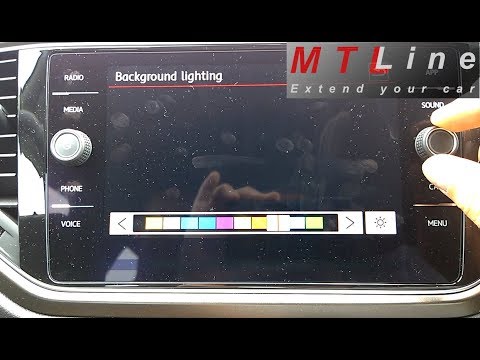
Volkswagen T Roc
(2017-2025 /
MK 1)
To change the interior light colour on a Volkswagen T-Roc, turn on the ignition by inserting the key into the ignition barrel. Once the dashboard is …

Volkswagen T Roc
(2017-2025 /
MK 1)
It will be possible to change the color of the ambient lights on the Volkswagen T-Roc by connecting a diagnostic tool to the OBD port of the vehicle:…

Volkswagen T Roc
(2017-2025 /
MK 1)
Want to change the colour of your dashboard lighting? Follow these steps to set it up on a Volkswagen T-Roc: first, turn on the ignition to power the…
Other guides you may be interested in
|
Frequently Asked QuestionsFuses Placement and Diagram for the Mercedes Vito
Check the diagram and placement of the fuse boxes for the Mercedes Vito by following the instructions below. First, open the bonnet and locate the external fuse box; you will find it by removing the plastic cover situated at the top of the engine compartment, as shown in the video. At this point, find another fuse box in the cabin, specifically under the driver's seat; use the owner's manual to find the fuse diagram and replace any faulty fuse with a new one that has the same amperage rating. by ScegliAuto More videos
|
|
For advertising on this site Write to info@scegliauto.com
ScegliAuto is not responsible for any inaccuracy of the data in the lists. To report any inaccuracy or your business (if you own the business in question), please write to info@scegliauto.com
Number of seconds to generate the page: 0.111
(c) ScegliAuto 2026 - info@scegliauto.com - Privacy policy VAT number: IT01247470535 |
