
|
Do it yourself
| |||
| ||||


How do you reset the radio of the Volkswagen Vento?
Model: Volkswagen Vento
A5, MK 2
- Years 2005-2011
To reset the Volkswagen Vento car radio, you need to turn on the dashboard by inserting the key into the appropriate slot and turning it: once the dashboard is on, you can press and hold the circular button on the radio located at the bottom left. You will need to continue holding this button for about thirty seconds, until the radio turns off and automatically turns back on: this way you can verify that the radio reset has occurred and that all settings have been restored.
Posted on 8 May 2024 by ScegliAuto
Video tutorial
Related tutorials
Volkswagen Vento
(2005-2011 /
A5, MK 2)
Removing the radio from the Volkswagen Vento is a very simple operation to perform independently and useful in case you need to check the presence of…

Volkswagen Vento
(2005-2011 /
A5, MK 2)
Today's instructions will allow us to reset the service light for routine maintenance of the engine oil change in the Volkswagen Vento. First, we get…
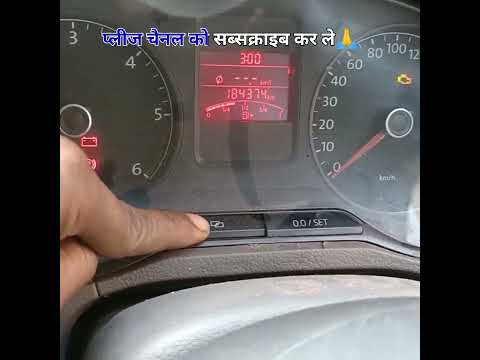
Volkswagen Vento
(1991-1998 /
A3, MK 1)
If you notice that the maintenance light (depicted with a small spanner) continues to flash when you turn on the instrument cluster of your Volkswage…
Other guides you may be interested in
|
How to Replace the External Wing Mirror on a Ford C MAX
In the event of a breakage, it will be necessary to replace the external wing mirror on the 2011 Ford C MAX. This operation is easily performed independently. Start by removing the internal cover of the mirror with a plastic lever. Then, use a socket wrench to remove the securing pins. Once the pins are removed, you can take off the mirror, but not before disconnecting the power connectors. Then proceed to fit the new mirror. First, connect the connectors and then secure the mirror to its housing with the pins. Refit the plastic cover and test the operation of the electric mirror using the controls. by ScegliAuto More videos
|
|
For advertising on this site Write to info@scegliauto.com
ScegliAuto is not responsible for any inaccuracy of the data in the lists. To report any inaccuracy or your business (if you own the business in question), please write to info@scegliauto.com
Number of seconds to generate the page: 0.139
(c) ScegliAuto 2026 - info@scegliauto.com - Privacy policy VAT number: IT01247470535 |
