
|
Do it yourself
| |||
| ||||


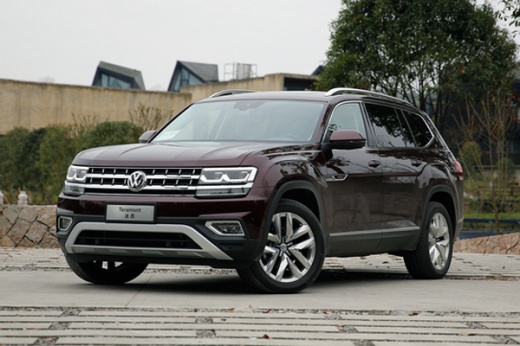
How to Set the Clock on the Volkswagen Atlas?
Model: Volkswagen Atlas Terramont
MK 1
- Years:
2017, 2018, 2019, 2020, 2021, 2022, 2023, 2024, 2025
This video is currently unavailable
To set the clock on the Volkswagen Atlas, turn on the ignition by inserting the key. This will allow you to press the MENU button located to the right of the display in the center of the dashboard. A menu will appear where you need to select "Settings" and then "Time and date": by selecting "Time Source: Manual," you can adjust the hours and minutes using the designated touch screen controls. Once the adjustment is made, turn off the ignition to confirm the new time entered.
Updated on 15 October 2026 by ScegliAuto
Related tutorials
Volkswagen Atlas Terramont
(2017-2025 /
MK 1)
To adjust the clock in a Volkswagen Atlas, turn on the instrument cluster by inserting the key into the ignition. Once the cluster is powered on, acc…

Volkswagen Atlas Terramont
(2017-2025 /
MK 1)
In this tutorial, we will see how to set the time in the Volkswagen Atlas, a very simple and quick operation to perform, for example, after disconnec…

Volkswagen Atlas Terramont
(2017-2025 /
MK 1)
In this tutorial we can see how to adjust the time in the Volkswagen Atlas, an extremely simple and quick operation, to be carried out for example af…
Other guides you may be interested in
|
Where are the fuses located in the Renault Megane 2?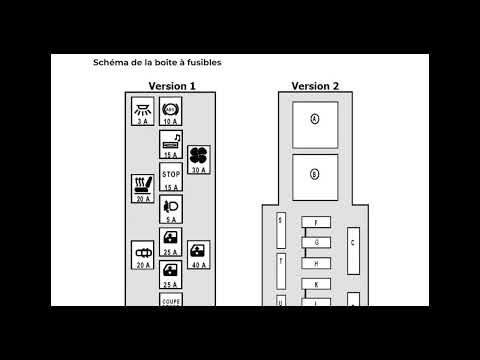
The fuses in the Renault Megane 2 are divided within the specific fuse boxes installed in the vehicle: this model has two fuse boxes. The first is located inside the dashboard, at the bottom left of the steering column: this box contains the fuses for the window lifters, heated seats, courtesy lights, etc. The second fuse box is positioned on the right side of the engine bay and contains the fuses for the windscreen wipers, horn, etc. by ScegliAuto More videos
|
|
For advertising on this site Write to info@scegliauto.com
ScegliAuto is not responsible for any inaccuracy of the data in the lists. To report any inaccuracy or your business (if you own the business in question), please write to info@scegliauto.com
Number of seconds to generate the page: 0.123
(c) ScegliAuto 2026 - info@scegliauto.com - Privacy policy VAT number: IT01247470535 |
