
|
Do it yourself
| |||
| ||||


|
Model: Yamaha Yamaha R3
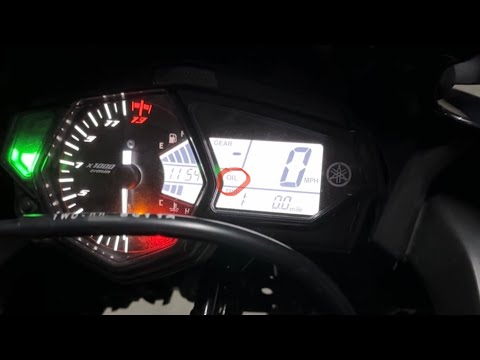
In this tutorial we can see how to reset the service on the Yamaha R3, an extremely simple and quick operation, to be carried out only once all scheduled maintenance work has been completed. Let's start by inserting the key, then we turn on the instrument panel and, using the appropriate button on the dashboard, scroll through the various information until we reach the "Trip" odometer. Hold down the "Reset" button for the necessary time for the interval to start flashing, press it a second time and hold it in position until the reset is complete.
Posted on 6 June 2025 by ScegliAuto
Video tutorial
Related tutorials
Yamaha R3
In this tutorial, you will learn how to reset the oil service light on a Yamaha R3. This operation is extremely simple and quick, to be performed onl…
Yamaha R3
If the warning light regarding oil appears on the display of your 2018 Yamaha R3, despite having recently changed it, follow these steps to manually …

Yamaha R3
In this tutorial we can see how to adjust the time on the Yamaha R3, an extremely simple and quick operation, to be carried out for example after dis…
|
How to Replace the Battery in a Harley-Davidson Fat Boy
In this tutorial, see how to replace the battery in a Harley-Davidson Fat Boy. First, ensure the key is not in the ignition. Remove the rider's seat, and using a 10mm hex key, undo the fastening bolts of both side fairings. Next, remove the lower bolt of the shock absorber, followed by the upper bolt, and disconnect the shock absorber itself. At this point, remove the plastic cover, disconnect both terminals starting with the negative, and extract the battery from its housing. To fit the replacement and reassemble everything, simply follow the reverse procedure. by ScegliAuto More videos
|
|
For advertising on this site Write to info@scegliauto.com
ScegliAuto is not responsible for any inaccuracy of the data in the lists. To report any inaccuracy or your business (if you own the business in question), please write to info@scegliauto.com
Number of seconds to generate the page: 0.006
(c) ScegliAuto 2026 - info@scegliauto.com - Privacy policy VAT number: IT01247470535 |
