
|
Do it yourself
| |||
| ||||


Model: Yamaha Fzs
To set the time on a Yamaha FZS, start by turning on the motorcycle and make sure the dashboard is on. Use the button on the right handlebar switch to navigate through the settings menu until you find the option for the time. Once the time option is selected, you may need to press the button to confirm the selection or to enter the submenu. Once inside the time menu, use the buttons to set the correct time. Make sure to also select the correct format (24-hour or 12-hour). When you have set the desired time, confirm the selection and exit the settings menu. Verify that the time displayed on the dashboard matches the one you have set. If the time has been set correctly, the process is complete. If you encounter difficulties during the process, refer to the owner's manual of your Yamaha FZS for detailed instructions on how to set the time.
Posted on 12 May 2024 by ScegliAuto
Video tutorial
Related tutorials
Fzs
To adjust the clock of the Yamaha FZS, you need to insert the ignition key into the lock and turn it to turn on the instrument panel: once the panel …

Fzs
In this tutorial we can see how to replace the engine oil in the Yamaha FZS, an extremely simple and fast operation. First of all, make sure that the…

Fzs
Speaking of Yamaha motorcycles, we have taken the Yamaha FZS V4 Hybrid as an example, in order to show the correct procedure for resetting the Servic…
|
How to Reset the Service on the Husqvarna FE 350?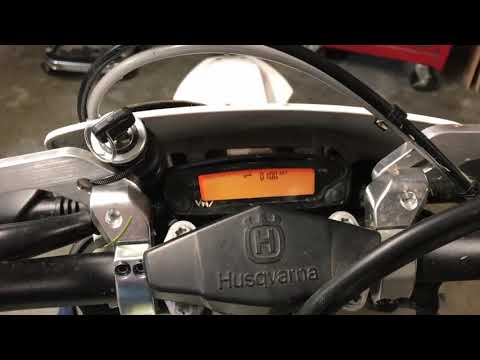
In this tutorial, you will see how to reset the service on the Husqvarna FE 350, a very simple and quick operation. Before proceeding, ensure you have completed all required scheduled maintenance tasks. Start by inserting the key and turning on the instrument panel; it is not necessary to start the engine. Then, repeatedly press the button located to the right of the display until you reach the odometer reading "ODO". Once done, press and hold the opposite button for about 5 seconds, and when the screen changes, press the right button again. by ScegliAuto More videos
|
|
For advertising on this site Write to info@scegliauto.com
ScegliAuto is not responsible for any inaccuracy of the data in the lists. To report any inaccuracy or your business (if you own the business in question), please write to info@scegliauto.com
Number of seconds to generate the page: 0.006
(c) ScegliAuto 2026 - info@scegliauto.com - Privacy policy VAT number: IT01247470535 |
