
|
Do it yourself
| |||
| ||||



How to Replace the Steering Wheel on an Alfa Romeo 159
Model: Alfa Romeo 159
MK 1
- Years:
2005, 2006, 2007, 2008, 2009, 2010, 2011
This video is currently unavailable
To remove the steering wheel from an Alfa Romeo 159, start by unscrewing the 4 screws that hold the plastic cover under the steering wheel, allowing it to drop down. Rotate the steering wheel so that the spoke pointing down goes to the right, go behind the wheel, disconnect the connector, and insert a small flathead screwdriver into the hole to release the tab. Rotate the steering wheel again, this time sending the spoke that was pointing down (when the wheel was straight) to the left, insert the small flathead screwdriver behind and release the tab. Once the airbag is removed, disconnect the connectors inside the steering wheel, slightly unscrew the steering wheel nut with a socket, pull the steering wheel towards you, and finish unscrewing the nut (this procedure helps avoid the risk of the steering wheel hitting you in the face when fully unscrewing the nut) and pass the wires and connectors through the appropriate hole. To reassemble the steering wheel, perform the reverse procedure of disassembly.
Updated on 11 August 2026 by ScegliAuto
Related tutorials
Alfa Romeo 159
(2005-2011 /
MK 1)
This guide provides instructions for removing the steering wheel and its controls from the Alfa Romeo 159. First, get in the vehicle and start unscre…

Alfa Romeo 159
(2005-2011 /
MK 1)
This guide shows you the procedure to remove and replace the steering wheel airbag and steering wheel of the Alfa Romeo 159. First, get into the vehi…
Alfa Romeo 159
(2005-2011 /
MK 1)
If you do not yet know where the fuse box is located in your Alfa Romeo 159, read this mini guide carefully and follow the instructions. First, enter…
Other guides you may be interested in
|
How to Reset the Tyre Pressure Light on a Cupra Formentor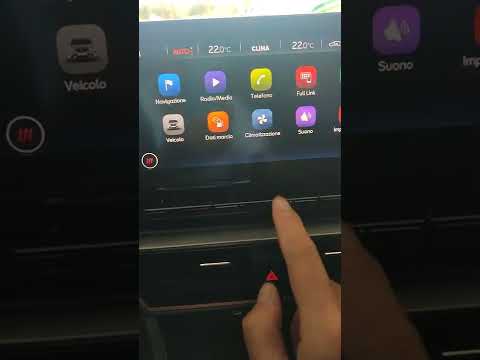
In this brief and simple video tutorial, learn how to reset the tyre pressure on a Cupra Formentor. Start by pressing the ignition button to turn on the instrument cluster. Now, use the touchscreen display on the central console to open the car menu. From here, select the driving data option, then the tyre pressure option. Now, click on the "SET" button with the pressure warning symbol and confirm the correct tyre pressure required by the manufacturer to perform the reset. by ScegliAuto More videos
|
|
For advertising on this site Write to info@scegliauto.com
ScegliAuto is not responsible for any inaccuracy of the data in the lists. To report any inaccuracy or your business (if you own the business in question), please write to info@scegliauto.com
Number of seconds to generate the page: 0.032
(c) ScegliAuto 2026 - info@scegliauto.com - Privacy policy VAT number: IT01247470535 |
