
|
Do it yourself
| |||
| ||||


How to Replace the Third Brake Light Bulb on an Alfa Romeo 156
Model: Alfa Romeo 156
MK 1
- Years:
1997, 1998, 1999, 2000, 2001, 2002, 2003, 2004, 2005, 2006, 2007
Video tutorial
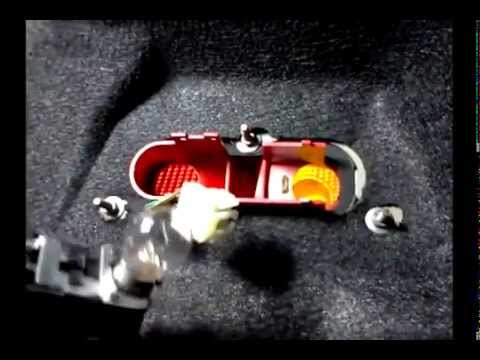
To replace the third brake light bulb on an Alfa Romeo 156, open the rear hatch to detach the protective cover from its upper part: to remove this cover, you will need to take out the fixing rivets. Now you can locate the third brake light unit, which can be removed by loosening the side knobs: by disconnecting the connector, the unit can be extracted and the bulbs inside can be removed. At this point, insert the new bulbs, reconnect the connectors to the unit, and refit it back into place.
Updated on 12 August 2026 by ScegliAuto
Related tutorials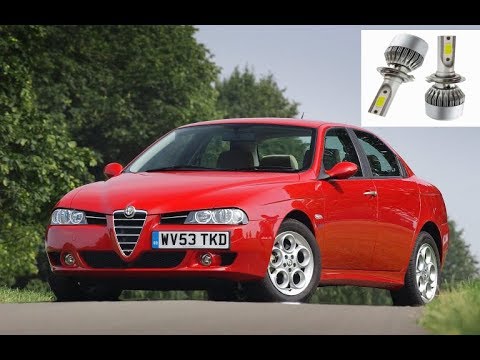
Alfa Romeo 156
(1997-2007 /
MK 1)
To replace the front headlamp bulb on the Alfa Romeo 156, open the bonnet to access the engine bay. Here, remove the plastic cap located inside the h…
Alfa Romeo 156
(1997-2007 /
MK 1)
To replace the rear indicator bulbs on the Alfa Romeo 156, open the boot and loosen the nuts securing the black plastic covers on either side of the …

Alfa Romeo 156
(1997-2007 /
MK 1)
To replace the front headlamp bulb on an Alfa Romeo 156, open the bonnet to access the fixing bolts that secure the headlamp in its housing. Once the…
Other guides you may be interested in
|
How to Change the Time on the Peugeot 208
Today's guide will show you how to set the clock on the Peugeot 208's onboard computer, following the instructions below. First, get in the car and turn on the instrument panel; then press and hold the settings button on the panel for a few seconds until the time starts to flash, as shown in the video. At this point, press the left button to correctly set the time, adjusting the hour first and then the minutes; exit the onboard computer menu to save all the changes made! by ScegliAuto More videos
|
|
For advertising on this site Write to info@scegliauto.com
ScegliAuto is not responsible for any inaccuracy of the data in the lists. To report any inaccuracy or your business (if you own the business in question), please write to info@scegliauto.com
Number of seconds to generate the page: 0.018
(c) ScegliAuto 2026 - info@scegliauto.com - Privacy policy VAT number: IT01247470535 |
