
|
Do it yourself
| |||
| ||||


Model: Aprilia Sr 150
In this video, discover the steps to change the transmission oil on the Aprilia SR 150 scooter, as well as the 125. First, position your scooter on the centre stand; then use a 12 mm socket spanner to unscrew the oil drain bolt located at the bottom of the clutch cover, as shown in the video. At this point, screw the drain bolt back in and open the filler cap; pour in the new transmission oil with the correct viscosity, filling to the maximum level!
Updated on 28 May 2026 by ScegliAuto
Video tutorial
Related tutorials
Sr 150
To change the gear oil on the Aprilia SR 150, loosen the drain plug located at the rear of the transmission casing: there will be two, and in this ca…

Sr 150
In this guide, we will provide instructions for changing the transmission oil on the Aprilia SR 150 scooter. First, place the scooter on its centre s…

Sr 150
In this tutorial, you will see how to change the engine oil in an Aprilia SR 150 scooter, a very simple and quick operation. First, ensure the engine…
|
How to Replace the Rear Indicator Bulb on the Sym Mio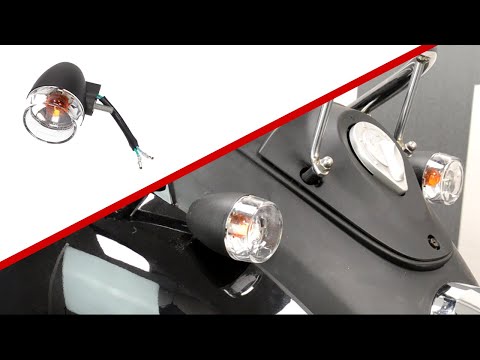
To replace the rear indicator bulb on the Sym Mio, you need to loosen the screws that secure the rear fairing of the motorcycle: to do this, you will also need to open the under-seat compartment and loosen the screws that secure the fairing from the inside. Once it is released, you can completely detach it and disconnect the connector attached to the corresponding bulb. The bulb can now be extracted from its housing, allowing you to insert the new one: this way, you can reassemble all the removed parts to ensure everything works correctly. by ScegliAuto More videos
|
|
For advertising on this site Write to info@scegliauto.com
ScegliAuto is not responsible for any inaccuracy of the data in the lists. To report any inaccuracy or your business (if you own the business in question), please write to info@scegliauto.com
Number of seconds to generate the page: 0.020
(c) ScegliAuto 2026 - info@scegliauto.com - Privacy policy VAT number: IT01247470535 |
