
|
Do it yourself
| |||
| ||||


Model: Aprilia Rs 125
This guide shows how to remove and replace the clutch discs on the Aprilia RS 125, following the instructions below. First, place the bike on a stand and start by removing the side fairing, then proceed to drain the engine oil; next, unscrew the screws from the transmission side cover, located on the left, to access the clutch pack, as shown in the video. At this point, unscrew the screws of the clutch pack and remove the discs; now replace them with new ones, alternating the cork discs with the metal ones!
Updated on 15 June 2026 by ScegliAuto
Video tutorial
Related tutorials
Rs 125
The procedure for replacing the clutch on the Aprilia RS 125 involves loosening the bolts that secure the clutch cover, located on the right side of …
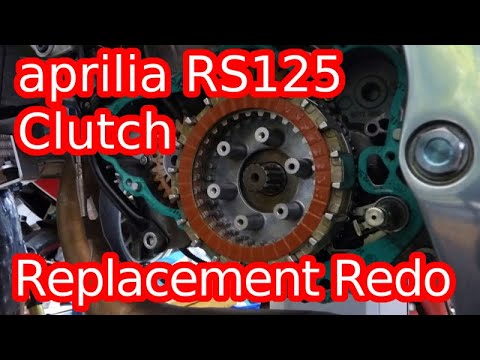
Rs 125
To replace the clutch on the Aprilia RS 125, you need to loosen the bolts securing the cover on the right side of the bike: once these bolts are loos…
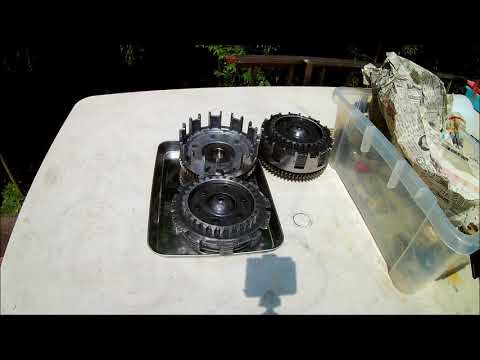
Rs 125
To replace the clutch on an Aprilia RS 125, loosen the screws securing the clutch cover located on the left side of the bike, at the front. Once the …
|
How do you reset the Oil Check light on the Sym VF 185?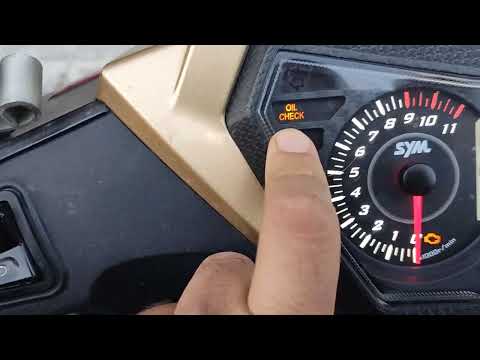
In order to reset the Oil Check light on the Sym VF 185, you need to turn on the instrument panel by turning the key in the ignition switch. Once the panel is on, you can press and hold the button located at the bottom right of the instrument panel for a few seconds. You will need to continue holding the button for a few seconds and then release it before pressing the next button. This will make the Oil Check light disappear from the instrument panel, and you can turn it off again by turning the key in the opposite direction. by ScegliAuto More videos
|
|
For advertising on this site Write to info@scegliauto.com
ScegliAuto is not responsible for any inaccuracy of the data in the lists. To report any inaccuracy or your business (if you own the business in question), please write to info@scegliauto.com
Number of seconds to generate the page: 0.006
(c) ScegliAuto 2026 - info@scegliauto.com - Privacy policy VAT number: IT01247470535 |
