
|
Do it yourself
| |||
| ||||


How to Reset the Service Light on an Audi Q8
Model: Audi Q8
- Years 2022-2026
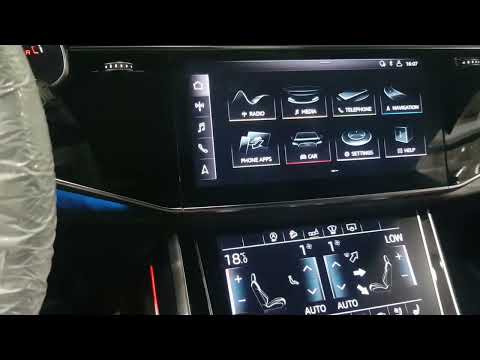
Let's see how to reset the service light on an Audi Q8. Turn on the instrument cluster and access your profile from the multimedia screen. Go to "Vehicle," then to "Settings," and then to "Maintenance." Select "Service Interval" and at this point, press the "Reset" option. Confirm with "yes" when it asks, "Are you sure you want to reset the oil change interval?" At this point, you're done: the system will automatically calculate the mileage and date for the next maintenance. Return to "Home" and you're finished. This reset only works for the oil change light. For the "Inspection" light, a diagnostic computer is needed, as mentioned in the video.
Posted on 29 September 2026 by ScegliAuto
Video tutorial
Related tutorials
Audi Q8
(2018-2025 /
MK 1)
After replacing the engine oil and oil filter, it is important to reset the service indicator in order to enter the new kilometers until the next ren…
Audi Q8
(2022-2026 /
MK 1)
In this guide, discover how to reset the service light on your new 2022 Audi Q8. With this procedure, you won't need any professional diagnostic tool…

Audi Q8
(2018-2025 /
MK 1)
In this tutorial, we can see how to reset the tire pressure warning light in the Audi Q8, an extremely simple and quick operation, to be carried out …
Other guides you may be interested in
|
What Does the "Code 60" Message Mean in the Opel Meriva?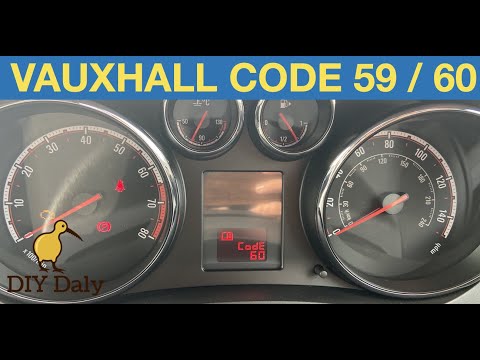
If the "Code 60" message has appeared on the dashboard of your Opel Meriva, it means that the passenger side window is not calibrated correctly. This issue can arise, for example, after disconnecting or replacing the battery, as the control unit for the various devices will lose the stored data. To remove the warning from the dashboard, simply turn on the ignition, fully open the window, and then close it. This procedure is also valid for the driver's window if the "Code 59" message appears. by ScegliAuto More videos
|

|
For advertising on this site Write to info@scegliauto.com
ScegliAuto is not responsible for any inaccuracy of the data in the lists. To report any inaccuracy or your business (if you own the business in question), please write to info@scegliauto.com
Number of seconds to generate the page: 0.882
(c) ScegliAuto 2026 - info@scegliauto.com - Privacy policy VAT number: IT01247470535 |
