
|
Do it yourself
| |||
| ||||


Reset service on Audi A3
Model: Audi A3
8P, MK 2
- Years 2003-2013
Do we want to reset the oil warning light on an Audi A3? Let's see how to proceed to delete the spy. We turn on the instrument panel (we will see the fixed maintenance light on) and use the button on the right of the instrument panel. As soon as the menu appears on the display we can scroll through it. We select the writing relating to oil reset and confirm the cancellation again with the key used previously. After these operations, we turn on the ignition again to check the maintenance carried out (the light no longer remains fixed). We use the Audi menu to set all kinds of changes to be made to the car.
Posted on 13 August 2020 by ScegliAuto
Video tutorial
Related tutorials
Audi A3
(2012-2019 /
MK 3, 8V)
Today we will explain how to reset the 2016 Audi A3 on your own. To reset the warning light, we turn on the instrument panel and the onboard computer…

Audi A3
(2012-2019 /
MK 3, 8V)
Today we will explain how to reset the service light on an Audi A3 vehicle independently. The reset should be done only after performing the operatio…

Audi A3
(2020-2026 /
8Y, MK 4)
The service light reset, related to the car service on the latest generation Audi A3 vehicle, must be done using a scanner and OBD2 port. We then con…
Other guides you may be interested in
|
How to Remove the Steering Wheel Airbag on a Dodge Journey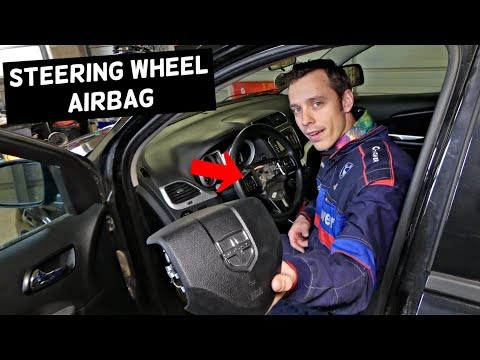
How to remove the steering wheel airbag on a Dodge Journey? Follow these steps. Before removing the steering wheel, disconnect the battery terminals located in the engine bay. Remove the inspection caps from the back of the steering wheel, then unscrew the airbag retaining bolts with a socket wrench. Once the driver’s airbag is released, disconnect the power connectors and remove the airbag from the steering wheel. For reinstallation: connect the power connectors, then press the airbag back onto the steering wheel while simultaneously tightening the rear bolts. by ScegliAuto More videos
|
|
For advertising on this site Write to info@scegliauto.com
ScegliAuto is not responsible for any inaccuracy of the data in the lists. To report any inaccuracy or your business (if you own the business in question), please write to info@scegliauto.com
Number of seconds to generate the page: 0.108
(c) ScegliAuto 2026 - info@scegliauto.com - Privacy policy VAT number: IT01247470535 |
