
|
Do it yourself
| |||
| ||||


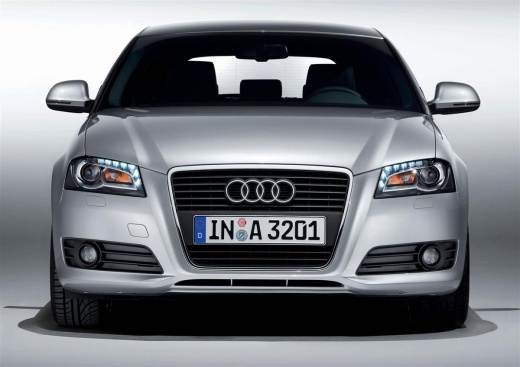
Video tutorial
Let's look at the necessary steps to set the clock on your Audi A3, model 8P produced from 2003 to 2013, in this brief video. Start by turning on the ignition without starting the engine. Then, by pressing the left button on the speedometer, the hour number will start to flash. Rotate the left button either counterclockwise or clockwise to decrease or increase the time. Once done, press the previous button again to modify the minutes in the same way. Finally, press the button again to select the hour format, either 12h or 24h, and finish the operation by pressing the left button on the speedometer one last time.
Updated on 12 August 2026 by ScegliAuto
Related tutorials
Audi A3
(2003-2013 /
8P, MK 2)
To adjust the clock on your Audi A3, turn on the ignition by inserting the key and turning it. Once the display is on, pull the button on the left si…

Audi A3
(2020-2026 /
MK 4, 8Y)
Today we will explain how to manually adjust the clock of the on-board computer by following simple and quick steps. The car on which we will perform…

Audi A3
(2012-2019 /
8V, MK 3)
To set the clock on the Audi A3, turn on the instrument cluster by turning the key in the ignition switch. Once the cluster is powered on, press the …
Other guides you may be interested in
|
How to Activate the Automatic Folding and Unfolding of the Wing Mirrors on the Jeep Compass
Follow these brief instructions to activate the automatic folding and unfolding of the external wing mirrors on the Jeep Compass. First, get inside the vehicle and turn on the ignition; then press the button located beneath the mirror glass adjustment to electrically open the mirror, as shown in the video. Pressing the button in the opposite direction will close the mirrors; by holding the button, the mirrors will open and close automatically! by ScegliAuto More videos
|
|
For advertising on this site Write to info@scegliauto.com
ScegliAuto is not responsible for any inaccuracy of the data in the lists. To report any inaccuracy or your business (if you own the business in question), please write to info@scegliauto.com
Number of seconds to generate the page: 0.081
(c) ScegliAuto 2026 - info@scegliauto.com - Privacy policy VAT number: IT01247470535 |
