
|
Do it yourself
| |||
| ||||


How do you reset the Service light on the Audi Q2?
Model: Audi Q2
MK 1
- Years 2016-2024
In order to reset the Service light of the Audi Q2, you need to go inflate the tires until they are brought back to their optimal pressure value: this value is indicated on the sticker attached to the driver's side door pillar. Once the tires have been inflated, you need to turn on the instrument cluster and then press the MENU button on the central tunnel: you can now scroll and select "Vehicle settings" and then "Servicing & checks". Then you need to select "Tyre press. Loss indicator" and then "Store tyre pressures": this way the light will disappear and you can turn off the instrument cluster.
Posted on 23 March 2024 by ScegliAuto
Video tutorial
Related tutorials
Audi Q2
(2016-2024 /
MK 1)
To completely make the Service indicator disappear from the instrument panel of the Audi Q2, you will need to turn on the instrument panel and then p…

Audi Q2
(2016-2024 /
MK 1)
If you want to understand how to manually reset the service light on your Audi Q2, just pay attention to the following guide. First of all, get into …

Audi Q2
(2016-2024 /
MK 1)
It will be possible to reset the Service light shown on the Audi Q2 instrument cluster by turning on the instrument cluster and then holding down the…
Other guides you may be interested in
|
How to Replace the Key Battery of the Ford Ecosport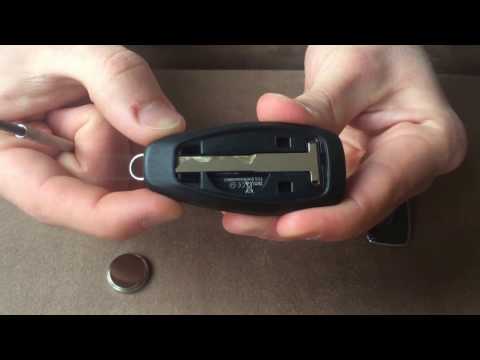
First, lift the rear cover of the remote, where the logo of your vehicle is located. You can do this by simply lifting it with your hands, giving you access to the metal key of the device. Remove it by lifting it out, and now use a flathead screwdriver to insert the blade into the slot at the top of the key. By applying a small lever, you can extract the panel covering the battery and separating the two parts of the key. Once you have access to the battery slot, you can easily replace it. by ScegliAuto More videos
|

|
For advertising on this site Write to info@scegliauto.com
ScegliAuto is not responsible for any inaccuracy of the data in the lists. To report any inaccuracy or your business (if you own the business in question), please write to info@scegliauto.com
Number of seconds to generate the page: 0.047
(c) ScegliAuto 2026 - info@scegliauto.com - Privacy policy VAT number: IT01247470535 |
