
|
Do it yourself
| |||
| ||||


How do you reset the Service indicator light on the Audi Q5?
Model: Audi Q5
8R, MK 1
- Years 2008-2017
In order to reset the Service light of the Audi Q5, you need to insert the key into the ignition and turn it to turn on the instrument panel, then navigate to the menu that will be shown on the central display: here you can press the CAR button and then select the "Service interval display" option. When this screen appears, you can scroll down to select the "Reset oil change interval" option and then select "Yes" to confirm. Once the reset confirmation is complete, you can verify that the light has turned off completely.
Posted on 11 July 2024 by ScegliAuto
Video tutorial
Related tutorials
Audi Q5
(2008-2017 /
8R, MK 1)
In this video, we see how to reset the service light on an Audi Q5 8R version: we start by making sure that all doors, trunk, and hood are properly c…

Audi Q5
(2008-2017 /
8R, MK 1)
In this guide, we will see the instructions that will allow us to reset the brake pad wear service light on the Audi Q5. First, we lift the vehicle a…

Audi Q5
(2008-2017 /
8R, MK 1)
You can completely clear the Service light displayed on the instrument cluster of the Audi Q5 by inserting the key into the ignition switch and turni…
Other guides you may be interested in
|
Removing the Front Wheel of a Yamaha Tmax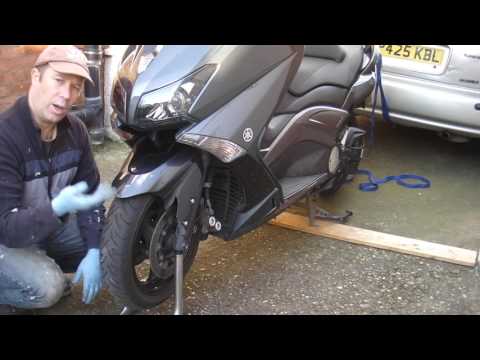
In this video tutorial, you will learn how to remove the front wheel of a Yamaha Tmax 530 (penultimate series). First, remove the fork bolts using a ratchet spanner: then also remove the brake caliper. Now, you will need a stand to lift the front of the bike to safely remove the wheel: then unscrew the central bolt of the wheel: at this point, you can remove it. If desired, you can also remove the mudguard by unscrewing the relevant screws. Apply the reverse procedure for reassembly! by ScegliAuto More videos
|

|
For advertising on this site Write to info@scegliauto.com
ScegliAuto is not responsible for any inaccuracy of the data in the lists. To report any inaccuracy or your business (if you own the business in question), please write to info@scegliauto.com
Number of seconds to generate the page: 0.103
(c) ScegliAuto 2026 - info@scegliauto.com - Privacy policy VAT number: IT01247470535 |
