
|
Do it yourself
| |||
| ||||


How to Set the Time on a BMW R1250 RS?
Model: Bmw R1250 Rs
Video tutorial
In this tutorial, you will see how to set the time on the BMW R1250 RS, an extremely simple and quick operation to perform, for example after disconnecting the battery or after switching to daylight saving time. First, insert the key, then turn on the instrument panel and, using the directional controls, navigate to the general menu on the display. Next, enter "Settings", "System settings", "Date and time", "Set time", and adjust the clock as needed. To save the setting, simply return to the main screen.
Posted on 1 May 2026 by ScegliAuto
Related tutorials
R1250 Gs
In this tutorial, you will see how to set the time on the BMW R1250 GS, a very simple and quick operation to perform, for example, after replacing th…
R1250 Gs
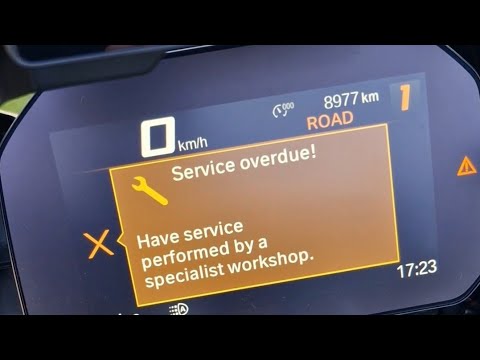
Resetting the service on the BMW R1250 GS, as shown in this tutorial, is an extremely simple and quick operation. Before proceeding, ensure you have …

R1250 Rt
In this tutorial, see how to replace the battery in the BMW R1250 RT, a very simple and quick operation. First, ensure the key is not inserted, then …
ScegliAuto offers an extensive international collection of automotive tutorials available in 12 languages. Each guide combines instructional videos with original explanations written by experienced human editors, along with information about the car models covered.
|
How to Replace the Rear Brake Pads on a Honda CBR 600 RR
To replace the rear brake pads on a Honda CBR 600 RR, loosen the screws that secure the pads inside their housing: these screws will be located at the top of the caliper. Once the screws and the corresponding pin have been removed, you can slide the pads out of the caliper and insert the new replacement parts; the new pads must then be secured with the appropriate pin and corresponding nuts. You can then check that everything is functioning correctly. by ScegliAuto More videos
|
|
For advertising on this site Write to info@scegliauto.com
ScegliAuto is not responsible for any inaccuracy of the data in the lists. To report any inaccuracy or your business (if you own the business in question), please write to info@scegliauto.com
Number of seconds to generate the page: 0.007
(c) ScegliAuto 2026 - info@scegliauto.com - Privacy policy - About us VAT number: IT01247470535 |
