
|
Do it yourself
| |||
| ||||


How to Reset the Service Light on a BMW F900R
Model: Bmw F900 R
Video tutorial
The video shows us how to reset the service light on a BMW F900R using a diagnostic tool (such as the GS911, Motoscan, OBD Link) and an app. Such as Texa or Dealer Tool). Connect the diagnostic tool to the OBD port located under the seat, turn on the ignition and start the software on the connected device. Select the model, then go to the Service Reset section and follow the on-screen instructions (usually, we need to select the services we have performed, and then confirm the reset). The tool will confirm that the reset has been completed. Turn off the ignition and then turn it back on to check that the light is no longer on.
Posted on 15 May 2026 by ScegliAuto
Related tutorials
F900 R
In this tutorial we can see how to reset the service in the BMW F900 R, an extremely simple and fast operation, to be carried out only once all sched…

F900 R
In this tutorial, we will see how to replace the engine oil in the BMW F900 R, a very simple and quick operation. First of all, let's make sure that …
ScegliAuto offers an extensive international collection of automotive tutorials available in 12 languages. Each guide combines instructional videos with original explanations written by experienced human editors, along with information about the car models covered.
|
How to Reset the Service on the KTM 1290 Super Duke R?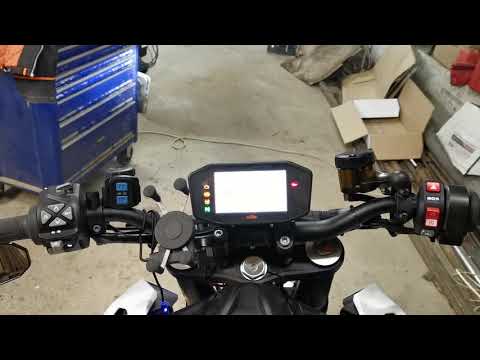
In this tutorial, you will see how to reset the service on the KTM 1290 Super Duke R, an extremely simple and quick operation to perform only after completing the required scheduled maintenance work. Start by turning on the instrument cluster, then press the "SET" button and scroll through the various screens until you reach the settings menu. Once done, press and hold both the up arrow and down arrow buttons to access the maintenance menu, adjust the various intervals as needed, and save the settings by returning to the main screen. by ScegliAuto More videos
|
|
For advertising on this site Write to info@scegliauto.com
ScegliAuto is not responsible for any inaccuracy of the data in the lists. To report any inaccuracy or your business (if you own the business in question), please write to info@scegliauto.com
Number of seconds to generate the page: 0.005
(c) ScegliAuto 2026 - info@scegliauto.com - Privacy policy - About us VAT number: IT01247470535 |
