
|
Do it yourself
| |||
| ||||


How to Reset the Trip Meter on a BMW GS 1.2 2018
Model: Bmw Gs 1200
Video tutorial
This short video shows you how to reset the trip meter on a 2018 BMW GS 1.2. This operation takes just a few minutes and a few simple steps and must be performed using the controls on the left side of your steering wheel. Go to the settings menu and select "My Vehicle"; you will be presented with the onboard computer of your BMW GS: at this point, you can choose to reset all values simultaneously or manually select which ones to reset. Click on "reset individual values" and select the trip kilometres, which will reset with a simple click.
Updated on 4 April 2026 by ScegliAuto
Related tutorials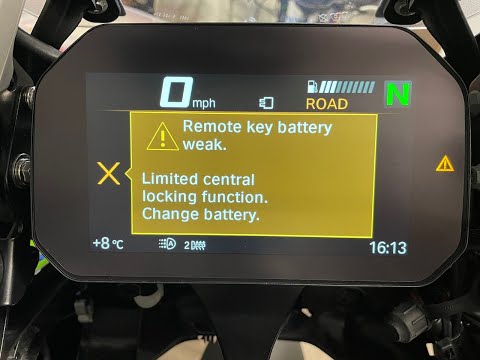
Gs 1200
As shown in this tutorial, replacing the battery in the remote for a BMW GS 1200 is a very simple and quick task. You will need a replacement CR2032 …

Gs 1200
In the following video, you will see how to replace the exhausted battery of the keyless remote (which does not require insertion to start the bike) …

Gs 1200
If the smart key for your BMW GS 1200 has suddenly stopped working and you want to replace the battery yourself, follow these simple steps outlined i…
|
How to Change the Engine Oil in the Suzuki GSX-S1000?
Changing the engine oil in the Suzuki GSX-S1000, as shown in this tutorial, is an extremely simple and quick operation. First, ensure that the engine is sufficiently cool, then position a container underneath and remove the lower fairing. Next, locate the drain hole bolt, unscrew it using a socket spanner, and allow all the oil in the system to drain out. At this point, simply unscrew the old filter, tighten both the replacement and the bolt, and pour in the new oil through the designated hole. by ScegliAuto More videos
|
|
For advertising on this site Write to info@scegliauto.com
ScegliAuto is not responsible for any inaccuracy of the data in the lists. To report any inaccuracy or your business (if you own the business in question), please write to info@scegliauto.com
Number of seconds to generate the page: 0.008
(c) ScegliAuto 2026 - info@scegliauto.com - Privacy policy VAT number: IT01247470535 |
