
|
Do it yourself
| |||
| ||||


How to Set the Clock on the Benelli TRK 502X?
Model: Benelli Trk 502
Video tutorial
To adjust the clock on the Benelli TRK 502X, press and hold the button located at the bottom left of the instrument cluster: this will cause the hours to start flashing. By repeatedly pressing the adjacent button, you will be able to modify the hours; then press and hold the left button again to make the minutes start flashing. These can be changed in the same way as the hours, confirming by pressing the left button.
Updated on 8 November 2026 by ScegliAuto
Related tutorials
Trk 502
To replace the exhaust on the Benelli TRK 502X, loosen the screws securing the exhaust end can to its housing, located on the right side of the motor…

Trk 502
To replace the front brake pads of the Benelli TRK 502X, you need to loosen the screws that secure the brake caliper to the corresponding disc: once …

Trk 502
To replace the chain on a Benelli TRK 502X, start by removing the plastic panel covering the sprocket on the left side of the bike. Once this panel i…
|
How to Reset the Service Light on the Yamaha Aerox Scooter?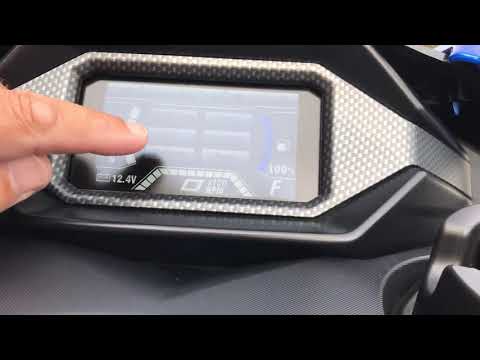
In this tutorial, you will see how to reset the service light on the Yamaha Aerox scooter, an extremely simple and quick operation. Before proceeding, ensure that you have completed all required scheduled maintenance tasks. Start by inserting the key and turning on the instrument panel, then use the button located on the front of the left handle to scroll through the various screens on the display. Once you reach the "Trip" option, press and hold the same button until the interval starts to flash, then turn off the ignition and turn it back on. by ScegliAuto More videos
|
|
For advertising on this site Write to info@scegliauto.com
ScegliAuto is not responsible for any inaccuracy of the data in the lists. To report any inaccuracy or your business (if you own the business in question), please write to info@scegliauto.com
Number of seconds to generate the page: 0.006
(c) ScegliAuto 2026 - info@scegliauto.com - Privacy policy VAT number: IT01247470535 |
