
|
Do it yourself
| |||
| ||||


|
Model: Kymco Downtown 350
In order to change the time on the Kymco Downtown 350i, you need to insert the ignition key into the corresponding slot: once the instrument panel is turned on, you can press and hold the MODE button located at the bottom left of the instrument panel. This way, you will notice that the hours on the display will start flashing and you can modify them by repeatedly pressing the RESET button; pressing the MODE button again will make the minutes start flashing, which can now be modified using the RESET button.
Posted on 1 December 2024 by ScegliAuto
Video tutorial
Related tutorials
Downtown 350
Today, you will see the main instructions that will allow you to dismantle and replace the variator, belt, and rollers of the Kymco Downtown 350i sco…

Downtown 350
Next, we will discover the instructions that will allow us to disassemble and replace the engine air filter of the Kymco Downtown GT 350i scooter. Fi…
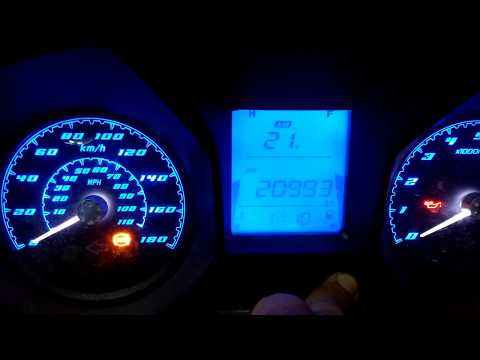
Downtown 350
To set the clock on the Kymco DownTown 350, start by turning the key to switch on the display. Press the "MODE" button until "ODO" appears on the dis…
|
How to Access the Battery in the Benelli 180S?
In this tutorial, you will see how to access the battery in the Benelli 180S, a very simple operation useful if you need to recharge or replace it. First, ensure that the key is not inserted, then remove the passenger seat and, using the provided keys, unscrew the two bolts securing the rider's seat. Once removed, unscrew the screws of the upper plastic bracket, disconnect both terminals starting with the negative, and extract the battery from its housing. To install a replacement, simply follow the reverse procedure. by ScegliAuto More videos
|
|
For advertising on this site Write to info@scegliauto.com
ScegliAuto is not responsible for any inaccuracy of the data in the lists. To report any inaccuracy or your business (if you own the business in question), please write to info@scegliauto.com
Number of seconds to generate the page: 0.005
(c) ScegliAuto 2026 - info@scegliauto.com - Privacy policy VAT number: IT01247470535 |
