
|
Do it yourself
| |||
| ||||


How to reset the oil service in Buick Envision?
Model: Buick Envision
MK 2
- Years 2016-2023
As we can see in this tutorial, resetting the oil service in the Buick Envision is a very simple operation. Before proceeding, let's make sure that you have completed any scheduled maintenance work. We start by inserting the key and turning on the instrument panel, after which, with the buttons located on the right side of the steering wheel, we scroll downwards until we find the screen relating to the oil life. Once this is done, press the right arrow key and select "Reset" in the menu that just appeared. We then restart the vehicle and check that the procedure was successful.
Posted on 29 March 2023 by ScegliAuto
Video tutorial
Related tutorials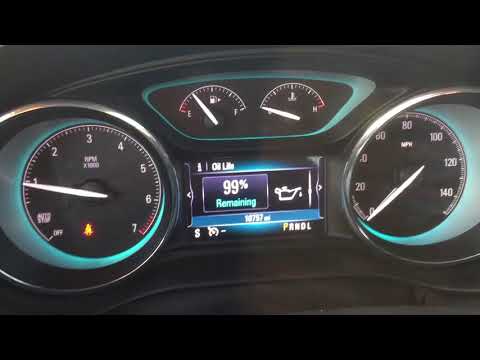
Buick Envision
(2016-2023 /
MK 2)
In this tutorial we can see how to reset the oil service in the Buick Envision, an extremely simple and fast operation, to be carried out only after …

Buick Envision
(2016-2023 /
MK 2)
To be able to change the engine oil of your Buick Envision you need to go and access the lower part of the engine compartment, where the oil drain pl…

Buick Envision
(2016-2023 /
MK 2)
In this new mini guide dedicated to all of you who own a Buick Envision latest model, we will discover how to correctly reset the service light on th…
Other guides you may be interested in
|
Replace the Battery in a Toyota Auris Key Fob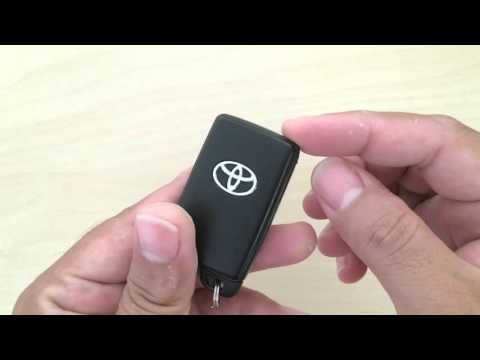
How to replace the battery in a Toyota Auris key fob? Follow these steps. Take your key fob and slide the button to release the metal key. Once extracted, use the key or a screwdriver to pry open the key cover. Pry until the two pieces separate, then use a screwdriver to remove the battery and replace it with a new one of the same size and voltage. Refit the cover onto the key fob until you hear it click into place. Finally, insert the metal key back into the key fob. Check the proper functioning of the key fob. by ScegliAuto More videos
|

|
For advertising on this site Write to info@scegliauto.com
ScegliAuto is not responsible for any inaccuracy of the data in the lists. To report any inaccuracy or your business (if you own the business in question), please write to info@scegliauto.com
Number of seconds to generate the page: 0.117
(c) ScegliAuto 2026 - info@scegliauto.com - Privacy policy VAT number: IT01247470535 |
