
|
Do it yourself
| |||
| ||||


Connect an OBD Scanner to the Chevrolet Beat to View All Data via an App
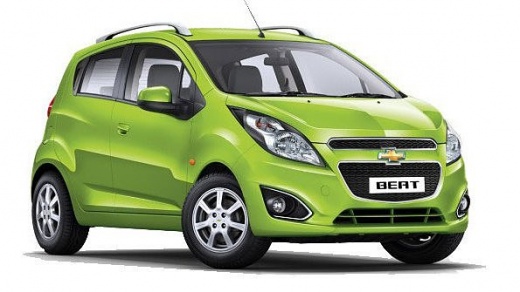
Model: Chevrolet Beat
MK 1
- Years 2010-2021
The instrument cluster of the Chevrolet Beat lacks some features such as coolant temperature, fuel consumption, etc. By using a mobile app, you can connect to the OBD port and access a huge amount of data that you wouldn't be able to see from the instrumentation. The OBD II scanner is the ELM327, and the Android app is called Torque Pro. It's very easy to connect using a standard cable, and you just need to download the app. It is a paid app, but it's worth the few dollars it costs because it completely revitalizes the vehicle and makes it more modern.
Updated on 16 June 2026 by ScegliAuto
Video tutorial
Related tutorials
Chevrolet Beat
(2010-2021 /
MK 1)
This guide briefly explains how to remove and replace the front bumper of the Chevrolet Beat. First, open the hood of your car and start removing all…

Chevrolet Beat
(2010-2021 /
MK 1)
To replace the cabin filter on a Chevrolet Beat, open the glove compartment on the passenger side to fully detach it. After removal, you can access t…

Chevrolet Beat
(2010-2021 /
MK 1)
To replace the shock absorbers on a Chevrolet Beat, lift the car with a jack or a lift so that the wheel corresponding to the shock absorber being re…
Other guides you may be interested in
|
How to Open a Stuck Boot on the Peugeot 407?
On the Peugeot 407, the boot may become stuck, possibly due to a problem with the control button or the lock actuator. In such cases, you can perform an emergency opening by following the simple procedure shown in this tutorial. First, open the rear doors, then lower the seat back by operating the release lever. Next, go inside the boot, locate the lock, and manually operate it using a flathead screwdriver. The boot will then be free to open. by ScegliAuto More videos
|
|
For advertising on this site Write to info@scegliauto.com
ScegliAuto is not responsible for any inaccuracy of the data in the lists. To report any inaccuracy or your business (if you own the business in question), please write to info@scegliauto.com
Number of seconds to generate the page: 0.256
(c) ScegliAuto 2026 - info@scegliauto.com - Privacy policy VAT number: IT01247470535 |
