
|
Do it yourself
| |||
| ||||


Fitting a Cone Filter on a Daewoo Matiz
Model: Chevrolet Matiz
MK 1
- Years:
1998, 1999, 2000, 2001, 2002, 2003, 2004, 2005, 2006, 2007, 2008, 2009
Video tutorial
This video demonstrates a rather bold modification: fitting a sports cone filter on a Daewoo Matiz. You need to unscrew the bolts securing the air filter box, which is fixed to the body at the front of the bonnet. Then loosen the metal clamp holding the inlet pipe, and you can remove the filter box. Place the new filter in its place; here, an adapter is used for the pipe, which is larger, but it’s advisable to get the correct size: a filter of these dimensions will cost no more than £20.00 and can be found on any e-commerce site. Then re-tighten the metal clamp with its screw. Do a test, and you will notice a significant change in sound, and on the road test, the difference is very noticeable.
Updated on 17 September 2026 by ScegliAuto
Related tutorials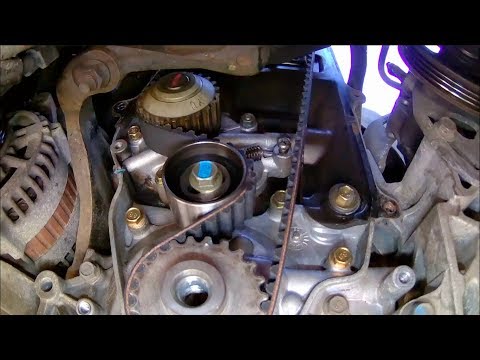
Chevrolet Matiz
(1998-2010 /
MK 1)
This video will teach you how to replace the old timing belt on your Daewoo Matiz with a new one. To facilitate the removal and replacement of the be…

Chevrolet Matiz
(1998-2010 /
MK 1)
In this video tutorial, we will see the steps to dismantle and replace the engine air filter on the Chevrolet or Daewoo Matiz. First, open the bonnet…

Chevrolet Matiz
(1998-2010 /
MK 1)
To remove the instrument cluster from a Daewoo Matiz, use a tool to pry off the plastic cover that surrounds the central console and the instrument c…
Other guides you may be interested in
|
How to Set the Time in an Audi A4?
In this tutorial, you will see how to set the time in an Audi A4, a very simple and quick operation to perform after replacing the battery or when the time changes. First, insert the key and turn on the instrument cluster. Then, press the "SETUP" button located on the center console. Next, press the upper left arrow button, navigate to the "Time" option, and use the central knob to adjust the clock. Finally, set any necessary formats and save by returning to the main screen. by ScegliAuto More videos
|
|
For advertising on this site Write to info@scegliauto.com
ScegliAuto is not responsible for any inaccuracy of the data in the lists. To report any inaccuracy or your business (if you own the business in question), please write to info@scegliauto.com
Number of seconds to generate the page: 0.123
(c) ScegliAuto 2026 - info@scegliauto.com - Privacy policy VAT number: IT01247470535 |
