
|
Do it yourself
| |||
| ||||


Chrysler Grand Voyager - Checks and maintenanceChecks And Maintenance Chrysler Grand Voyager (2001-2007 / mk 4) Chrysler Grand Voyager (2001-2007 / MK 4) Where is the OBD port of the Chrysler Grand Voyager located? In this new mini guide aimed at all of you who own a Chrysler Grand Voyager, we will help you find the OBD port in just a few seconds, which allows you to …Read all… Posted on 20 December 2025 by ScegliAuto 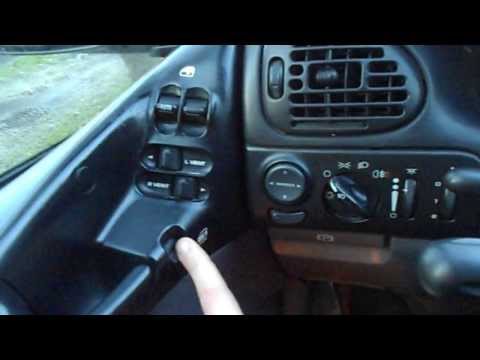 Chrysler Grand Voyager (1996-2000 / ) Checking the Functionality of Electric Controls If you are purchasing a used car with many electric accessories, it is essential to ensure everything functions correctly, especially if it is an older car …Read all… Posted on 28 February 2026 by ScegliAuto Checks And Maintenance Chrysler Grand Voyager (1996-2000 / )
Chrysler Grand Voyager (2001-2007 / MK 4)Where is the OBD port of the Chrysler Grand Voyager located? In this new mini guide aimed at all of you who own a Chrysler Grand Voyager, we will help you find the OBD port in just a few seconds, which allows you to …Read all… Posted on 20 December 2025 by ScegliAuto
Chrysler Grand Voyager (1996-2000 / )Checking the Functionality of Electric Controls If you are purchasing a used car with many electric accessories, it is essential to ensure everything functions correctly, especially if it is an older car …Read all… Posted on 28 February 2026 by ScegliAuto Body (1) Checks and maintenance (2) Brake rotors (1) Diesel fuel filter (1) Power window motor (1) Brake pads (1) Car door (1) Fuse box (3) Side mirror (1) Warning light – error code (1) |
How to Change the Date and Time on the Renault Scenic
In this guide, you will find instructions to change the date and time on the Renault Scenic in simple steps. First, get in the vehicle and turn on the instrument panel; then navigate to the vehicle settings using the knob, selecting the clock menu, as shown in the video. At this point, you can modify the time and date, also selecting the desired format; finally, exit the settings menu to save the changes, allowing you to adjust the time at any moment! by ScegliAuto More videos
|
|
For advertising on this site Write to info@scegliauto.com
ScegliAuto is not responsible for any inaccuracy of the data in the lists. To report any inaccuracy or your business (if you own the business in question), please write to info@scegliauto.com
Number of seconds to generate the page: 0.007
(c) ScegliAuto 2026 - info@scegliauto.com - Privacy policy - About us VAT number: IT01247470535 |
