
|
Do it yourself
| |||
| ||||


Where is the OBD port of the Chrysler Grand Voyager located?
Model: Chrysler Grand Voyager
MK 4
- Years:
2001, 2002, 2003, 2004, 2005, 2006, 2007
Video tutorial
In this new mini guide aimed at all of you who own a Chrysler Grand Voyager, we will help you find the OBD port in just a few seconds, which allows you to connect a diagnostic tool as long as it is compatible with the vehicle. First, you need to reach the driver's seat in the cabin, then make sure the vehicle is turned off and locate the OBD port, which is located in the lower area of the dashboard. At this point, the procedure is already successfully completed, and you can proceed to connect the diagnostic tool in order to analyze the control unit.
Posted on 20 December 2025 by ScegliAuto
Related tutorials
Chrysler Grand Voyager
(2001-2007 /
MK 4)
The fuse for the cigarette lighter on the 2000 Chrysler Grand Voyager is located inside the fuse box in the front bonnet, specifically next to the ve…
Chrysler Grand Voyager
(2001-2007 /
MK 4)
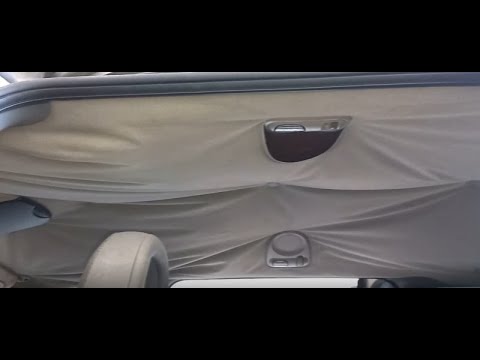
Today's guide will show you the steps to remove and replace the interior headlining or roof lining of the Chrysler Grand Voyager. First, remove all c…

Chrysler Grand Voyager
(2001-2007 /
MK 4)
Below, you will find the instructions that will allow you to identify the fuse boxes and their diagram for the Chrysler Grand Voyager, also known as …
Other guides you may be interested in
|
How to Set the Time in an Audi A4?
In this tutorial, you will see how to set the time in an Audi A4, a very simple and quick operation to perform after replacing the battery or when the time changes. First, insert the key and turn on the instrument cluster. Then, press the "SETUP" button located on the center console. Next, press the upper left arrow button, navigate to the "Time" option, and use the central knob to adjust the clock. Finally, set any necessary formats and save by returning to the main screen. by ScegliAuto More videos
|
|
For advertising on this site Write to info@scegliauto.com
ScegliAuto is not responsible for any inaccuracy of the data in the lists. To report any inaccuracy or your business (if you own the business in question), please write to info@scegliauto.com
Number of seconds to generate the page: 0.026
(c) ScegliAuto 2026 - info@scegliauto.com - Privacy policy VAT number: IT01247470535 |
