
|
Do it yourself
| |||
| ||||


How do you reset the tire pressure light on the Citroën Berlingo?
Model: Citroen Berlingo
MK 3
- Years 2018-2026
From the instrument panel of the Citroën Berlingo, it will be possible to make the tire pressure warning light disappear by turning the key inside the ignition switch, so that it is possible to turn on the instrument panel. Subsequently, you will need to access the menu that will be displayed on the central display, until you find the tire pressure monitoring item. In this way, you will be able to choose the item: when the appropriate confirmation message appears, selecting the "Yes" option will allow you to reset the tire pressure warning light and turn off the instrument panel.
Posted on 27 September 2025 by ScegliAuto
Video tutorial
Related tutorials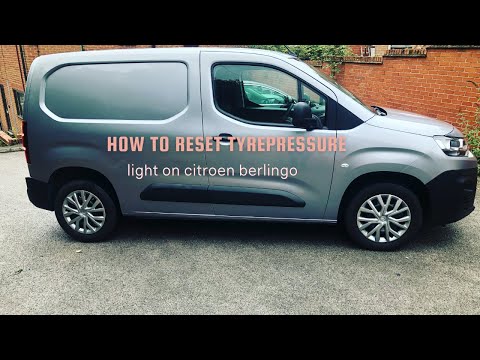
Citroen Berlingo
(2018-2026 /
MK 3)
To reset the tyre pressure warning light on the Citroën Berlingo, turn the key in the ignition switch to power on the instrument cluster. Next, acces…

Citroen Berlingo
(2018-2026 /
MK 3)
From the display of the Citroën Berlingo, you can clear the tyre pressure warning light by inserting the key into the ignition switch to access the m…

Citroen Berlingo
(2008-2018 /
MK 2)
The tire pressure warning light that appears on the instrument panel of the Citroën Berlingo can be reset by turning the key inside the ignition swit…
Other guides you may be interested in
|
How to Set the Clock on the Opel Zafira
Setting the clock to the current Italian time on an Opel Zafira model B is a very simple operation, also made easier by our short instructional video. The first step is to turn on the instrument panel and then press the SETTING button located on the central dashboard. Once inside the menu, use the buttons to navigate to the clock setting. Adjust the hours and minutes and restart the instrument panel. If the clock does not update, it may be necessary to diagnose the radio or the vehicle's control unit. by ScegliAuto More videos
|
|
For advertising on this site Write to info@scegliauto.com
ScegliAuto is not responsible for any inaccuracy of the data in the lists. To report any inaccuracy or your business (if you own the business in question), please write to info@scegliauto.com
Number of seconds to generate the page: 0.203
(c) ScegliAuto 2026 - info@scegliauto.com - Privacy policy VAT number: IT01247470535 |
