
|
Do it yourself
| |||
| ||||


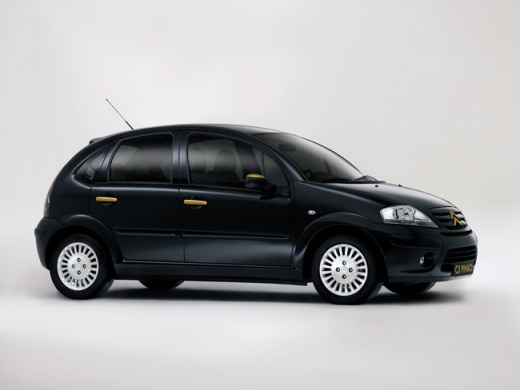
How do you set the clock on a 2009 Citroen C3?
Model: Citroen C3
- Years:
2002, 2003, 2004, 2005, 2006, 2007, 2008, 2009
Video tutorial
If you are unsure how to set the clock on your 2006 Citroen C3, follow these steps. Switch on the instrument panel, then press and hold the button to the left of the small dashboard display until the time flashes. Press the same button to set the hours, then the minutes. Switch off the instrument panel to finish. Switch it on again and check the time on the display.
Posted on 23 November 2026 by ScegliAuto
Related tutorials
Citroen C3
(2016-2023 /
)
Switch on the ignition. On the dashboard touchscreen, select "Settings", then "Options", followed by "Date and time". Adjust the clock as required, f…

Citroen C3
(2002-2009 /
FC, FN)
We want to adjust the time of our 2002 Citroen C3, but we don't know how to do it. For the vehicle in question, we have a video that shows exactly th…

Citroen C3
(2009-2016 /
SC)
Daylight saving time has given way to standard time, and it is time to change the clock in our vehicles. Today, learn how to perform this operation o…
ScegliAuto offers an extensive international collection of automotive tutorials available in 12 languages. Each guide combines instructional videos with original explanations written by experienced human editors, along with information about the car models covered.
Other guides you may be interested in
|
How to Disable the Folding Mirrors on the Peugeot 2008
To prevent the mirrors from folding every time you open/close the car on the Peugeot 2008, start by turning on the instrument cluster. Switch on the infotainment screen, go to the main menu, click on "Vehicle", then click on "Vehicle Settings" at the bottom, followed by "Parking". Find the option "Mirror Folding Lock", and click on "On": this will disable the folding mirrors, keeping them open. To enable the mirrors to fold again, click on "Off" and they will return to folding/unfolding. by ScegliAuto More videos
|
|
For advertising on this site Write to info@scegliauto.com
ScegliAuto is not responsible for any inaccuracy of the data in the lists. To report any inaccuracy or your business (if you own the business in question), please write to info@scegliauto.com
Number of seconds to generate the page: 0.007
(c) ScegliAuto 2026 - info@scegliauto.com - Privacy policy - About us VAT number: IT01247470535 |
