
|
Do it yourself
| |||
| ||||


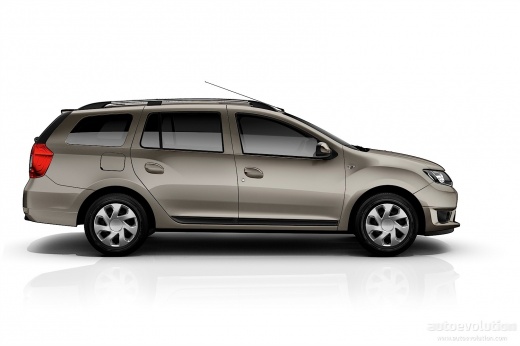
How to Reset the Service Light on a Dacia Logan
Model: Dacia Logan
MK 2
- Years 2012-2022
Video tutorial
Detailed instructions - It is well known that the service light in vehicles registered in recent years is included in the dashboard as a reminder for the service interval. After performing the necessary maintenance as specified by the manufacturer in the vehicle's technical manual for each indicated mileage, you need to reset the service light. This can be easily done using a simple PC connected via the vehicle's OBD port, equipped with the appropriate software. Select the vehicle model and navigate through the menus to easily reach the option to clear the aforementioned light.
Updated on 16 September 2026 by ScegliAuto
Related tutorials
Dacia Logan
(2012-2022 /
MK 2)
To clear the Service light on the Dacia Logan, connect a diagnostic tool to the vehicle's OBD port, located on the dashboard just below the steering …
Dacia Logan
(2012-2022 /
MK 2)
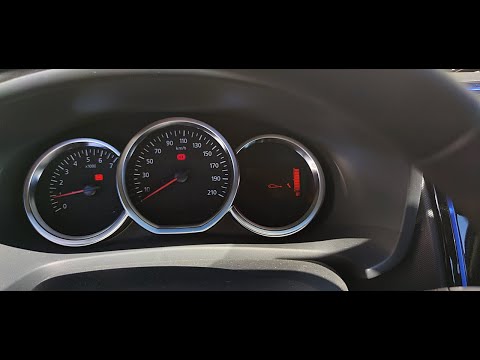
To reset the service light on the Dacia Logan, press the button located at the end of the lever to the right of the steering wheel: you need to press…

Dacia Logan
(2012-2022 /
MK 2)
From the instrument cluster of the Dacia Logan, you can clear the Service light by pressing the button located at the end of the lever on the right o…
Other guides you may be interested in
|
How to Replace the Emergency Call System Battery on BMW X2
To replace the battery of the emergency call system on the BMW X2, you need to remove the interior roof lining of the car. This will allow access to the components covered by it. At the rear left, near the passenger door, you will find the battery: it can be removed from its housing and replaced with a new spare part. After replacement, cover everything back with the interior lining panel, ensuring that everything functions correctly. by ScegliAuto More videos
|
|
For advertising on this site Write to info@scegliauto.com
ScegliAuto is not responsible for any inaccuracy of the data in the lists. To report any inaccuracy or your business (if you own the business in question), please write to info@scegliauto.com
Number of seconds to generate the page: 0.068
(c) ScegliAuto 2026 - info@scegliauto.com - Privacy policy VAT number: IT01247470535 |
