
|
Do it yourself
| |||
| ||||


How to reset the service light on the 2017 Dodge Caravan?
Model: Dodge Caravan
MK 5
- Years 2008-2020
Performing the reset of the service light on the 2017 Dodge Caravan is a very simple procedure that can be done independently, thanks to our short video tutorial. Let's begin the reset procedure by getting into the vehicle and turning on the instrument panel. Then, press the menu button until the "OIL LIFE" option is selected, and then turn off the instrument panel. Wait for the audible signal and then turn the instrument panel back on. Once the procedure is complete, the service light or maintenance light will have been reset. If necessary, you can repeat the reset procedure again.
Posted on 4 October 2023 by ScegliAuto
Video tutorial
Related tutorials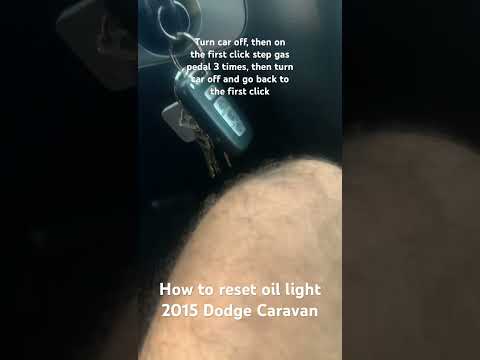
Dodge Caravan
(2008-2020 /
MK 5)
In this new mini guide dedicated to all of you owners of a 2015 Dodge Caravan, we will discover the various steps to follow in order to reset the oil…
Dodge Caravan
(2008-2020 /
MK 5)
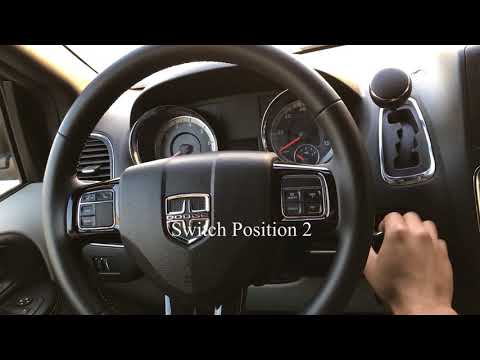
In this video, we see how to reset the oil light on the Dodge Caravan and Grand Caravan: it is really very simple, so much so that the video, which i…

Dodge Caravan
(2008-2020 /
MK 5)
To complete the manual reset of the oil light on your Dodge Caravan Mk5 (year 2020), you need to follow a few simple steps that we will discover toge…
Other guides you may be interested in
|
How to Replace the Boot Compartment Light Bulb on a Peugeot 208
If you want to improve visibility inside the boot compartment, it is recommended to replace the original incandescent bulb with a LED type (T10 fitting); once the rear hatch is opened, locate the bulb holder positioned on the side, near the shock absorber dome, where the plastic grille is located. Then, lever the retaining tab to extract the bulb holder, disconnect the power connector, and remove the old bulb to replace it with the LED one; reconnect the power, check the correct operation of the bulb (if not, rotate it 180°), and reposition the bulb holder in its place. by ScegliAuto More videos
|
|
For advertising on this site Write to info@scegliauto.com
ScegliAuto is not responsible for any inaccuracy of the data in the lists. To report any inaccuracy or your business (if you own the business in question), please write to info@scegliauto.com
Number of seconds to generate the page: 0.046
(c) ScegliAuto 2026 - info@scegliauto.com - Privacy policy VAT number: IT01247470535 |
