
|
Do it yourself
| |||
| ||||


DS DS 7 - Onboard computerOnboard Computer DS DS 7 (2020-2027 / mk 1) DS DS 7 (2020-2026 / MK 1)
How to Connect Your Smartphone via Bluetooth on the DS 7 Crossback The procedure to connect your smartphone to the DS7 is simple and intuitive: ensure that your smartphone's Bluetooth is activated and set to "visible" mode. On …Read all… Posted on 7 May 2026 by ScegliAuto  DS DS 7 (2020-2026 / MK 1)
How to update the maps on the Citroen DS7 navigator In this video, we will see how to update the maps on the Citroen DS7 navigator: we will need a USB stick with a minimum capacity of 32 GB and the MyDS app on …Read all… Posted on 6 January 2025 by ScegliAuto Transmission (1) Body (1) Key (3) Timing belt (1) Onboard computer (2) Checks and maintenance (4) Air filter (1) Cabin air filter (3) Clock (1) Brake pads (1) Pump (1) Warning light – error code (2) (5) Service warning light (8) |
How to change the time on a Toyota Yaris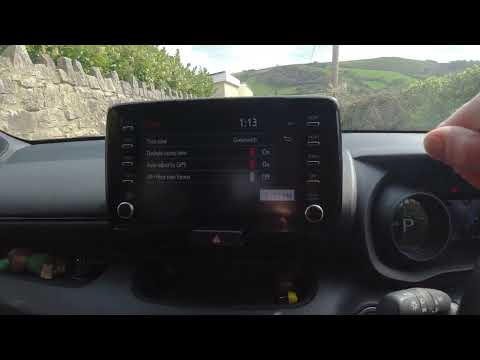
In this video we see how to change the time on a Toyota Yaris, specifically when it comes to switching from daylight saving time to standard time and vice versa. We go to the multifunction screen and press "settings": from there we go to press the clock, simply click on daylight saving time, and the clock will change the time for us, without doing anything else. All we want to do is just adjust the time format to 12 or 24 hours, as is customary in the area where we live: for example in Anglo-Saxon countries it is common to set the time to 12 hours, while in the European Union it is normally set to 24 hours. by ScegliAuto More videos
|
|
For advertising on this site Write to info@scegliauto.com
ScegliAuto is not responsible for any inaccuracy of the data in the lists. To report any inaccuracy or your business (if you own the business in question), please write to info@scegliauto.com
Number of seconds to generate the page: 0.008
(c) ScegliAuto 2026 - info@scegliauto.com - Privacy policy VAT number: IT01247470535 |
