
|
Do it yourself
| |||
| ||||


How to update the maps on the Citroen DS7 navigator
Model: DS DS 7
MK 1
- Years 2020-2026
In this video, we will see how to update the maps on the Citroen DS7 navigator: we will need a USB stick with a minimum capacity of 32 GB and the MyDS app on our smartphone, which we will open to the page dedicated to the information of our vehicle; we open the touchscreen page, where we will request the update of the maps and the touchscreen. We open the email from the PC where we will find a link to download a rather heavy update file, which will then need to be downloaded to make it functional. We transfer the SWL file and the update file to the USB stick (formatted in FAT32) and move to the vehicle. We turn on the vehicle and go to the settings where we will deactivate start & stop, go to the navigation page and insert the USB stick; the system will immediately give us an error page, but then the system will find the files to read and we will only need to confirm that we want to update. We select the update and confirm "install". During the update, the engine must remain on and we must not remove the USB stick: the whole process will take about 45 minutes. Then we must follow the system instructions to confirm the version, and only at this point can we turn off the engine.
Posted on 6 January 2025 by ScegliAuto
Video tutorial
Related tutorials
DS DS 7
(2020-2026 /
MK 1)
In this video we can see how to deactivate the service light of a Citroen DS7: turn on the instrument panel without starting the engine and then pres…

DS DS 7
(2020-2026 /
MK 1)
To reset the tire pressure warning light on the Citroen DS7, you can follow these steps: Turn on the ignition without starting the engine. Press the …

DS DS 7
(2020-2026 /
MK 1)
Resetting the tire pressure warning light in the Citroen DS7, as we can see in this tutorial, is an extremely simple and quick operation. Before proc…
Other guides you may be interested in
|
How to Replace the Brake Pads on a BMW X3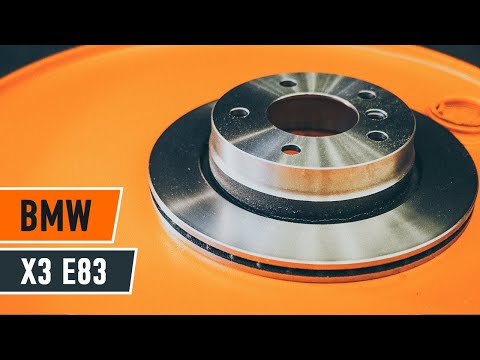
For this operation, you will need to remove the wheel where you will perform the replacement, so it will be convenient to lift your vehicle and place it on jack stands; this way, you will work much more comfortably. To remove the spring that holds the front pads, use a flathead screwdriver. Now, unscrew the bolts that secure the piston to the pads, then remove it, giving you access to both pads that brake the rotor. Of course, repeat the same steps on the other side if the same replacements are needed. by ScegliAuto More videos
|

|
For advertising on this site Write to info@scegliauto.com
ScegliAuto is not responsible for any inaccuracy of the data in the lists. To report any inaccuracy or your business (if you own the business in question), please write to info@scegliauto.com
Number of seconds to generate the page: 0.067
(c) ScegliAuto 2026 - info@scegliauto.com - Privacy policy VAT number: IT01247470535 |
