
|
Do it yourself
| |||
| ||||


How to Disassemble and Remove the Rear Camera of a Mercedes CLA
Model: Mercedes CLA
C117, X117
- Years 2013-2019
In this video, see how to disassemble and remove the camera (where the license plate light is located) from the rear hatch of a Mercedes CLA. First, open the rear hatch of the car, then remove the rear license plate. Use a screwdriver to remove the screws on the plastic trim of the hatch. Disconnect the plastic trim of the license plate light from the hatch, and use a screwdriver to remove the retaining clips (located between the hatch metal and the plastic trim). Finally, remove the rear camera located in the hatch (disconnect the power connector of the camera) of the car. For reassembly, proceed in reverse order.
Updated on 27 February 2026 by ScegliAuto
Video tutorial
Related tutorials
Mercedes CLA
(2013-2019 /
C117, X117)
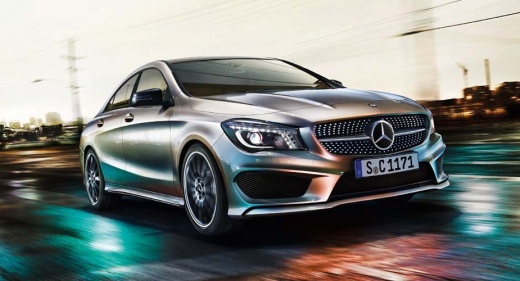
Here are the steps to disassemble and replace the rear camera on a Mercedes CLA. First, open the trunk hatch and start removing the inner panel or tr…
Mercedes CLA
(2013-2019 /
C117, X117)
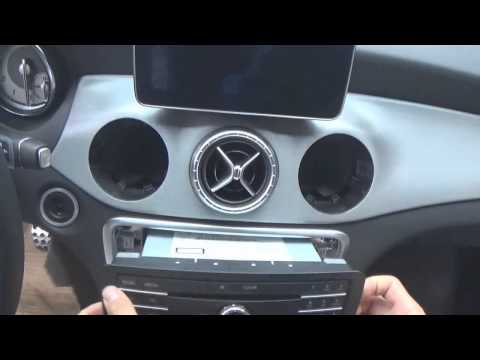
In this brief and simple guide, you will learn the steps to disassemble and replace the radio in a Mercedes CLA. First, get inside the vehicle and st…

Mercedes CLA
(2013-2019 /
C117, X117)
If you can't find the box containing all the various fuses of your Mercedes CLA Mk1 (2013-2019), just follow the instructions in this mini guide. Fir…
Other guides you may be interested in
|
How to reset the tyre pressure warning light on the Dacia Sandero?
To reset the tyre pressure warning light on the Dacia Sandero, inflate all the tyres to the pressure indicated on the label on the driver's door. Once the tyres are inflated, turn on the ignition and navigate through the menu using the controls on the right side of the steering wheel. Scroll with the arrows to find the tyre pressure option: by holding down the OK button located on the right side of the steering wheel, you can reset the warning light. by ScegliAuto More videos
|
|
For advertising on this site Write to info@scegliauto.com
ScegliAuto is not responsible for any inaccuracy of the data in the lists. To report any inaccuracy or your business (if you own the business in question), please write to info@scegliauto.com
Number of seconds to generate the page: 0.149
(c) ScegliAuto 2026 - info@scegliauto.com - Privacy policy VAT number: IT01247470535 |
