
|
Do it yourself
| |||
| ||||


How to Reset the Service Light on an Eicher Polaris
Model: Eicher Polaris Eicher-polaris Various
If you own an Eicher Polaris and want to learn how to reset the service light without needing a professional, follow the steps in this guide. First, turn on the ignition and press one of the two directional buttons multiple times to navigate the onboard menu. Once you find the "Srv" option, press and hold the central "Mode" button to enter the vehicle settings. When you locate the "ServHour" option, press and hold the "Mode" button again and manually set the kilometres remaining until the next service.
Updated on 11 September 2026 by ScegliAuto
Video tutorial
Related tutorials
Eicher Polaris Eicher-polaris Various
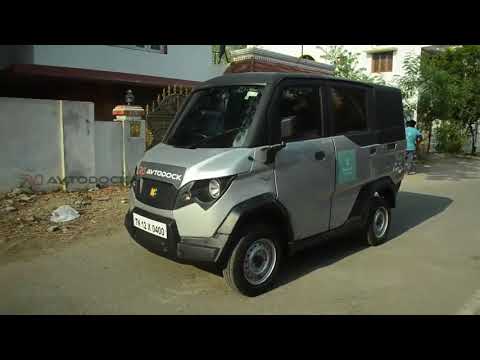
Have you ever thought about how helpful a vehicle that can be used as a generator could be in case of a power blackout, or in remote areas where this…
Eicher Polaris Eicher-polaris Various
Creativity knows no bounds, and the protagonist of this video understands this well. Our needs have changed significantly over the years, and the tim…
Eicher Polaris Eicher-polaris Various
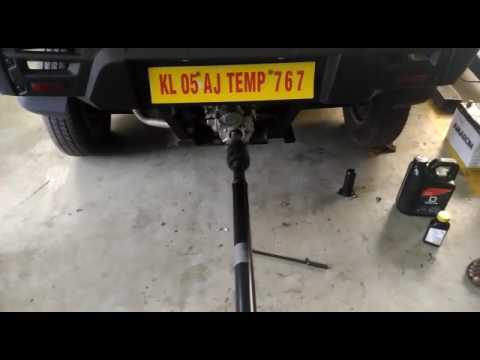
To answer the question, we can confidently refer to the video posted here. Essentially, the vehicle's engine transmits power to the generator through…
Other guides you may be interested in
|
How to reset the tyre pressure warning light on a Hyundai Tucson
Below are the instructions to reset the tyre pressure warning light (TPMS) on a Hyundai Tucson. First, get into the vehicle and turn on the instrument cluster; then navigate to the vehicle settings until you reach the tyre pressure monitor, identifying the tyre with incorrect pressure. At this point, restore all tyre pressures according to the specifications indicated on the label; this will reset the TPMS and the warning light will be cleared from the instrument cluster! by ScegliAuto More videos
|
|
For advertising on this site Write to info@scegliauto.com
ScegliAuto is not responsible for any inaccuracy of the data in the lists. To report any inaccuracy or your business (if you own the business in question), please write to info@scegliauto.com
Number of seconds to generate the page: 0.057
(c) ScegliAuto 2026 - info@scegliauto.com - Privacy policy VAT number: IT01247470535 |
