
|
Do it yourself
| |||
| ||||


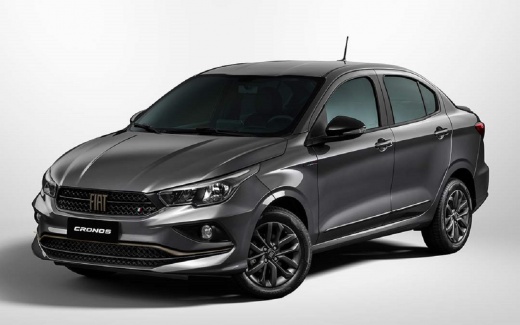
How to Replace the Key Battery for the Fiat Cronos
Model: Fiat Cronos
358s, X6S
- Years 2018-2026
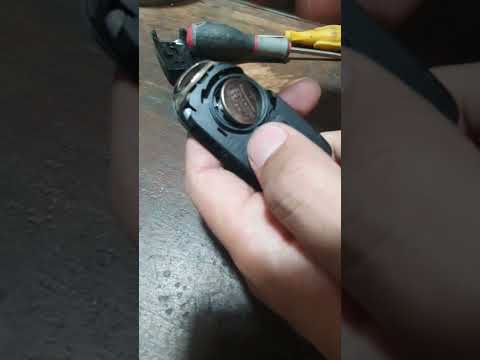
If you need to replace the battery in your remote key, proceed as follows: first, detach the plastic cover around the buttons. Then, use a sharp object to pry open and lift the back cover of the remote. Once the cover is removed, you will find the battery compartment underneath. To open it, you can also use the new battery to turn the cover counterclockwise. To extract the battery, use a sharp object again, take the new battery, and place it in the compartment. Close the small round cover by turning it half a turn to the right. Finally, reposition the back cover and the front mask.
Updated on 5 July 2026 by ScegliAuto
Video tutorial
Related tutorials
Fiat Cronos
(2018-2026 /
358s, X6S)
The tutorial video we are about to observe is applicable to multiple cars, including the Fiat Cronos, Fiat Argo, etc. It is quite easy to realize tha…
Fiat Cronos
(2018-2026 /
358s, X6S)
The battery inside the key fob that opens and closes the doors of the Fiat Cronos will eventually run out, and you need to replace it. To do this, sn…

Fiat Cronos
(2018-2026 /
358s, X6S)
In this video, we will see how to replace the battery of the Fiat Cronos remote control: first of all, we need to remove the physical emergency key b…
Other guides you may be interested in
|
How to Adjust the Brightness of the Instrument Cluster on a Peugeot 3008?
To adjust the brightness of the instrument cluster on a Peugeot 3008, you need to turn on the ignition and access the settings via the menu located in the central area of the dashboard. In the screen that appears, select the "Display Configuration" option: now, by selecting the "Brightness" option, you can adjust it using the dedicated slider that will appear on the screen. The adjustment should be made with the headlights on as well as with them off. Once the adjustment is complete, you can turn off the instrument cluster. by ScegliAuto More videos
|
|
For advertising on this site Write to info@scegliauto.com
ScegliAuto is not responsible for any inaccuracy of the data in the lists. To report any inaccuracy or your business (if you own the business in question), please write to info@scegliauto.com
Number of seconds to generate the page: 0.397
(c) ScegliAuto 2026 - info@scegliauto.com - Privacy policy VAT number: IT01247470535 |
