
|
Do it yourself
| |||
| ||||


Ford Flex - Air filterAir Filter Ford Flex (2009-2019 / mk 1)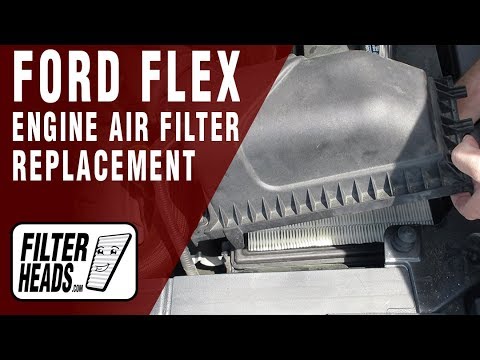 Ford Flex (2009-2019 / MK 1) How to Replace the Air Filter in a Ford Flex? Replacing the air filter in a Ford Flex is a very simple and quick task. First, wait for the engine to cool completely for safety. Then, open the hood and …Read all… Posted on 7 November 2026 by ScegliAuto  Ford Flex (2009-2019 / MK 1) How to Replace the Cabin Air Filter on a Ford Flex If you notice a decline in air quality when you turn on the air conditioning in your Ford Flex, it's time to replace the air filter. Let's see how to do it. …Read all… Posted on 28 September 2026 by ScegliAuto  Ford Flex (2009-2019 / MK 1) How to Replace the Air Filter on the Ford Flex To replace the engine air filter, follow these steps: open the hood, locate the box containing the filter on the left side of the engine compartment, and …Read all… Posted on 12 July 2026 by ScegliAuto Battery (2) Body (2) Key (9) Checks and maintenance (1) Fog lights (1) Air filter (3) Headlight bulb (2) Tail light bulb (2) Brake pads (1) Fuse box (2) Service warning light (4) Windshield wipers (1) |
How to enter the radio code in the Opel Zafira?
In the Opel Zafira, it may happen that the radio locks and consequently requests the appropriate security code, especially after disconnecting or replacing the battery. The code can be found in the documents provided at purchase or through one of the various online recovery services. Once obtained, enter it by following the procedure shown in this tutorial. First, switch on the instrument panel, then press and hold both the "AS" button and the left knob for about 5 seconds. Next, enter the first digit by repeatedly pressing the "1" button, continue with the next 3 buttons, and save the setting by pressing the "AS" button again. by ScegliAuto More videos
|
|
For advertising on this site Write to info@scegliauto.com
ScegliAuto is not responsible for any inaccuracy of the data in the lists. To report any inaccuracy or your business (if you own the business in question), please write to info@scegliauto.com
Number of seconds to generate the page: 0.005
(c) ScegliAuto 2026 - info@scegliauto.com - Privacy policy VAT number: IT01247470535 |
