
|
Do it yourself
| |||
| ||||


How to Reset a Ford CD6000 Car Radio
Model: Ford Ford Various
When the CD6000 radio in your Ford vehicle, manufactured before 2010, asks for a 4-digit code: you may not have it. First, find the serial number: hold down the buttons 1 and 6 simultaneously. A code starting with "V" followed by 6 digits will appear on the display: that is the serial number. Take this number and go to a free app, such as "Ford Radio Code" on the Play Store, or to online sites that can generate the code. Enter the serial number to obtain a 4-digit code. Enter the code using buttons 1, 2, 3, and 4: each button must be pressed multiple times to get the desired number (e.g., button 1 pressed 5 times = number 5) and confirm with button 5. If the radio is locked ("wait 29 min", for example), leave it on until the timer disappears, then proceed.
Posted on 27 September 2026 by ScegliAuto
Video tutorial
Related tutorials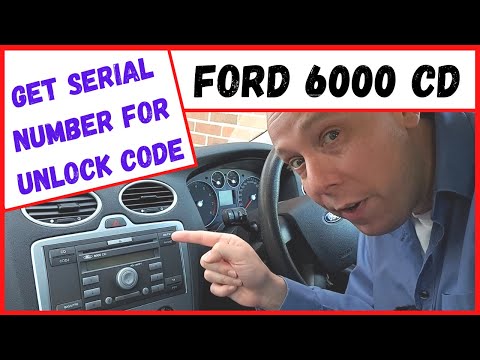
Ford Ford Various
In this tutorial, see how to retrieve the unlock code for the Ford CD6000 radio, which you need to enter after disconnecting the battery, for example…
Ford Ford Various
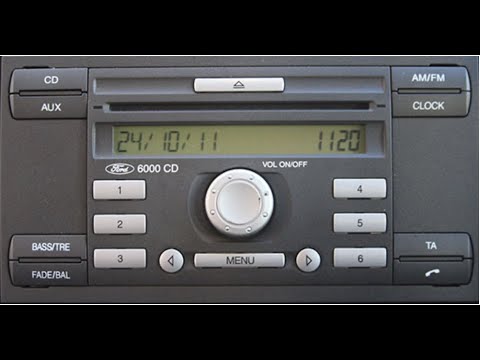
In this video, you will learn how to access the serial number of the main unit of the Ford CD6000 radio. The YouTuber advises turning on the dashboar…

Ford Ford Various
Here’s how to remove the Ford CD6000 radio from a Ford vehicle (Fiesta, Focus, or similar from the 2000/2010 years). You will need Ford extraction ke…
Other guides you may be interested in |
How to Replace the Gear Knob on the Citroen C3 2015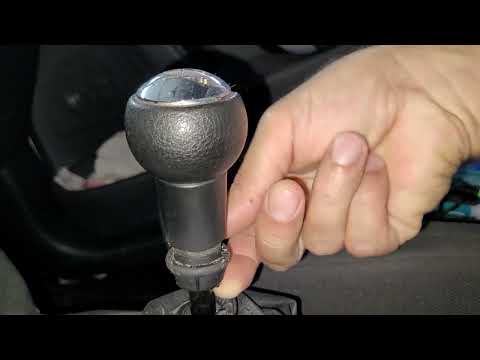
In this mini guide, you will learn how to correctly replace the gear knob on your 2015 Citroen C3. First, ensure you purchase a new gear knob that is fully compatible with your vehicle. Then, enter the cabin and use a flat screwdriver (or a key) to remove the plastic cover from the gear lever. Next, break the safety clip and remove the leather cover. At this point, you can detach the gear knob and replace it with the new one. by ScegliAuto More videos
|
|
For advertising on this site Write to info@scegliauto.com
ScegliAuto is not responsible for any inaccuracy of the data in the lists. To report any inaccuracy or your business (if you own the business in question), please write to info@scegliauto.com
Number of seconds to generate the page: 1.061
(c) ScegliAuto 2026 - info@scegliauto.com - Privacy policy VAT number: IT01247470535 |
