
|
Do it yourself
| |||
| ||||


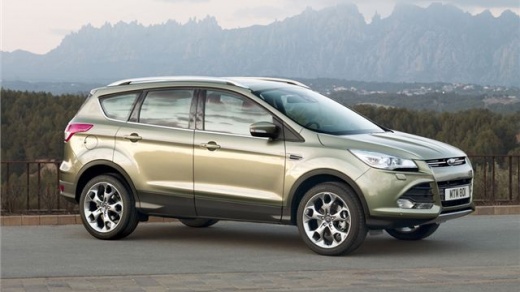
Removing the Ford Kuga Radio
Model: Ford Kuga
MK 2, C520
- Years:
2012, 2013, 2014, 2015, 2016, 2017, 2018, 2019
Video tutorial
Using a plastic trim tool or a flat screwdriver, remove the central upper plastic trim of the dashboard. At this point, you will see the two screws that secure the top of the radio. Disconnect the connector and remove it. Next, remove the mat to uncover the other screws. Remove the plastic that was secured by these screws, using the trim tool again. Go further down and unscrew the last two screws, then you can finally extract the radio and disconnect its connectors. Insert the new part you purchased and reassemble everything in reverse order.
Updated on 31 March 2026 by ScegliAuto
Related tutorials
Ford Kuga
(2008-2012 /
MK 1, C394)
Replacing the radio on a Ford Kuga? Here’s how to remove the radio using the handy removal keys. Insert the keys into the slots on the sides of the p…

Ford Kuga
(2008-2012 /
MK 1, C394)
In this video, you will learn how to remove the radio with display from a Ford Kuga. First, get inside the car and obtain some plastic levers to uncl…
Ford Kuga
(2008-2012 /
MK 1, C394)
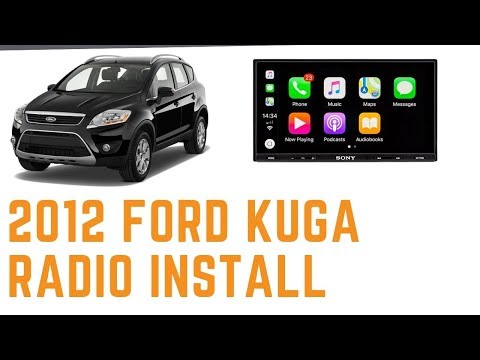
In this tutorial, learn how to remove and replace the standard radio with a multimedia system in the Ford Kuga. First, get inside the vehicle and sta…
Other guides you may be interested in |
How to Enter the Unlock Code for the Radio in the Nissan Micra?
In this tutorial, you will see how to enter the unlock code for the radio in the Nissan Micra, a very simple operation to perform in case of memory loss after replacing the battery. The code can be found in the documents provided at purchase or through one of the various online recovery services. First, turn on the instrument panel, then repeatedly press the "1" button until you reach the first digit of the code. Follow the same logic to enter the remaining 3 digits using the "2", "3", and "4" buttons, and confirm the entry with the up arrow button. by ScegliAuto More videos
|
|
For advertising on this site Write to info@scegliauto.com
ScegliAuto is not responsible for any inaccuracy of the data in the lists. To report any inaccuracy or your business (if you own the business in question), please write to info@scegliauto.com
Number of seconds to generate the page: 0.018
(c) ScegliAuto 2026 - info@scegliauto.com - Privacy policy VAT number: IT01247470535 |
