
|
Do it yourself
| |||
| ||||


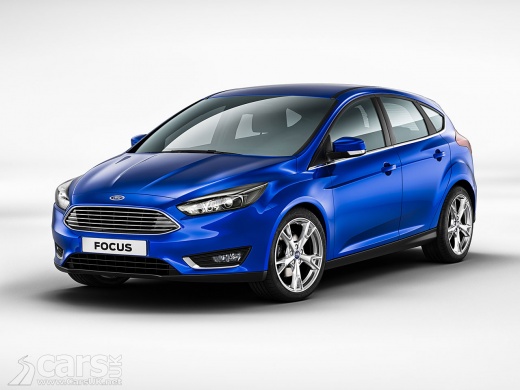
How to Update the Ford Focus Navigator
Model: Ford Focus
MK 3
- Years:
2011, 2012, 2013, 2014, 2015, 2016, 2017, 2018
This video is currently unavailable
You can update the SYNC-3 software directly via Wi-Fi, provided you enable the Automatic System Updates option in the General section of Settings. The system will then ask if you wish to receive updates, confirm by selecting Yes, then close and return to the main screen. Enable automatic updates by sliding the toggle to the right and activating the function by pressing Yes on the next screen. Connect to a Wi-Fi network by accessing the settings menu, selecting the on command, and choosing an available network (you may need the access password). The system will search for software updates and download them, indicating 'System Updated' each time an update is completed.
Updated on 19 February 2026 by ScegliAuto
Related tutorials
Ford Focus
(2011-2018 /
MK 3)
Replace the stereo/navigator of the Ford Focus if damaged; let's see how to remove it. Remove the plastic cover of the stereo with a plastic lever (w…

Ford Focus
(2011-2018 /
MK 3)
The following video tutorial shows us the steps to reset the service light and oil change indicator on a Ford Focus vehicle produced from 2013 to 201…

Ford Focus
(2011-2018 /
MK 3)
Today we will see how to reset the oil light on a 2012 Ford Focus vehicle. The first step to perform is to get into the vehicle and insert the key in…
Other guides you may be interested in |
Where are the fuses located on the Renault Laguna?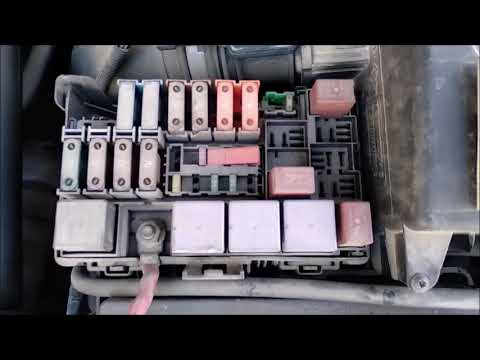
On the Renault Laguna, the fuses are located inside the fuse boxes installed in the vehicle: in this car model, you will find two boxes for containing the fuses. The first is in the fuse box on the left side of the dashboard, accessible by opening the driver's door: here you will find the fuses for the windscreen wipers, fog lights, horn, etc. The second box is located on the right side of the engine compartment: here you will find the fuses for the dipped headlights, radiator fan, alternator, etc. by ScegliAuto More videos
|
|
For advertising on this site Write to info@scegliauto.com
ScegliAuto is not responsible for any inaccuracy of the data in the lists. To report any inaccuracy or your business (if you own the business in question), please write to info@scegliauto.com
Number of seconds to generate the page: 0.014
(c) ScegliAuto 2026 - info@scegliauto.com - Privacy policy VAT number: IT01247470535 |
