
|
Do it yourself
| |||
| ||||


Geely Mk - Door trim panelDoor Trim Panel Geely Mk (2006-2023 / mk 1)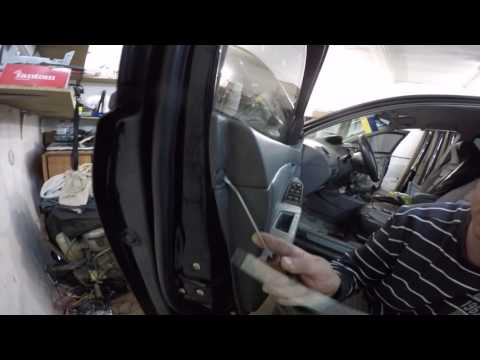 Geely Mk (2006-2023 / MK 1) How to Remove the Door Panel from a Geely MK This brief and simple guide shows how to remove the front door panel from a Geely MK, following the instructions below. First, open the front door and start …Read all… Posted on 20 September 2026 by ScegliAuto  Geely Mk (2006-2023 / MK 1) How to Remove the Rear Door Panel of the Geely MK In today's video tutorial, we will go through the steps on how to remove the rear door panel of the Geely MK, following the instructions provided below. First, …Read all… Posted on 29 July 2026 by ScegliAuto  Geely Mk (2006-2023 / MK 1) Removing the Rear Door Panel of the Geely Mk In this video tutorial, you will learn how to remove and replace the rear door panel of the Geely Mk in simple and quick steps. First, open the rear door and …Read all… Posted on 16 July 2026 by ScegliAuto Car stereo (1) Battery (1) Control arm (1) Spark plugs (1) Key (1) Timing belt (1) Checks and maintenance (1) Air filter (1) Cabin air filter (1) Fuel filter (1) Clutch (1) Accessory kit (1) Side marker bulb (1) Engine oil (1) Door trim panel (3) Instrument cluster (1) Heater core (1) Thermostat (3) |
How to Reset the Tyre Pressure Light on the Hyundai i20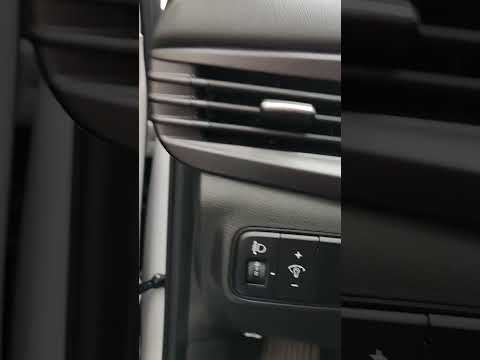
These brief instructions will show you how to reset the tyre pressure monitoring system (TPMS) light on the Hyundai i20. Before performing the reset, ensure that all four tyres are at the correct operating pressure. Then, get inside the cabin and turn on the ignition. Now, press and hold the TPMS reset button located on the left side of the driver's seat until the tyre pressure light resets on the instrument panel, as shown in the video. At this point, turn off the ignition and start the engine to complete the process! by ScegliAuto More videos
|
|
For advertising on this site Write to info@scegliauto.com
ScegliAuto is not responsible for any inaccuracy of the data in the lists. To report any inaccuracy or your business (if you own the business in question), please write to info@scegliauto.com
Number of seconds to generate the page: 0.005
(c) ScegliAuto 2026 - info@scegliauto.com - Privacy policy - About us VAT number: IT01247470535 |
