
|
Do it yourself
| |||
| ||||


How to install Android car stereo on Geely Lc 1.0
Model: Geely Lc
MK 1
- Years 2008-2016
In this video tutorial we will see the main instructions that will allow us to disassemble and replace the stock car stereo with an Android type of the Geely Lc 1.0. First we get on board the car and start by removing the original car radio; to do this we remove the side plastic and unscrew the fixing screws of the car radio, which we find on the sides, as shown in the video. At this point we disconnect the electrical connectors to remove the car radio; then let's install the new Android car stereo, making the appropriate changes to the wiring, following the video to the end!
Posted on 3 November 2022 by ScegliAuto
Video tutorial
Related tutorials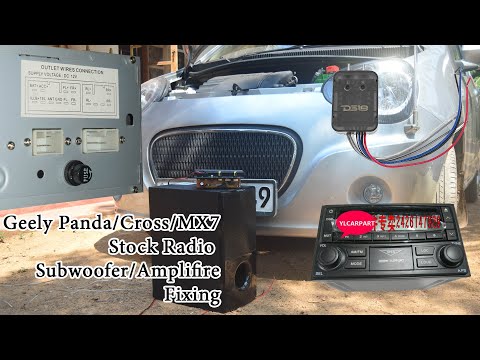
Geely Lc
(2008-2016 /
MK 1)
If we are going to customize your car and go to update the stereo system, follow the instructions below, we can go to the cockpit with a small screwd…
Geely Lc
(2008-2016 /
MK 1)
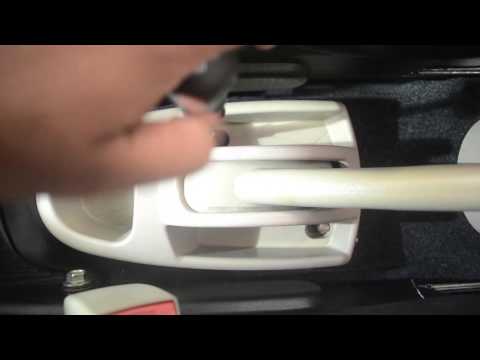
Today we will see, in this short and simple guide, how to adjust the handbrake of the Geely LC, following the instructions below. First we get on boa…

Geely Lc
(2008-2016 /
MK 1)
Let's see in this short and simple guide, the location and diagram of the fuses of the Geely LC, following the instructions below. First, we get into…
Other guides you may be interested in
|
Remove the Rear Light of a Nissan Qashqai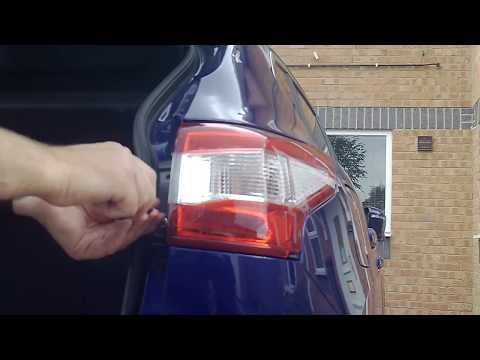
Remove the rear light of a Nissan Qashqai to replace the damaged bulbs. Open the boot lid, unscrew the securing bolts located at the side of the rear light using a screwdriver (or socket spanner), and once the light is free from any constraints, detach it from the bodywork (disconnect the relevant power connectors). Replace the damaged bulbs with equivalent size and voltage pieces (replace the light if damaged). Finally, refit the light, proceeding in reverse order with the assembly of the other parts. by ScegliAuto More videos
|
|
For advertising on this site Write to info@scegliauto.com
ScegliAuto is not responsible for any inaccuracy of the data in the lists. To report any inaccuracy or your business (if you own the business in question), please write to info@scegliauto.com
Number of seconds to generate the page: 0.054
(c) ScegliAuto 2026 - info@scegliauto.com - Privacy policy VAT number: IT01247470535 |
