
|
Do it yourself
| |||
| ||||


How to set the time on the Geely Okavango instrument panel display
Model: Geely Geely Various
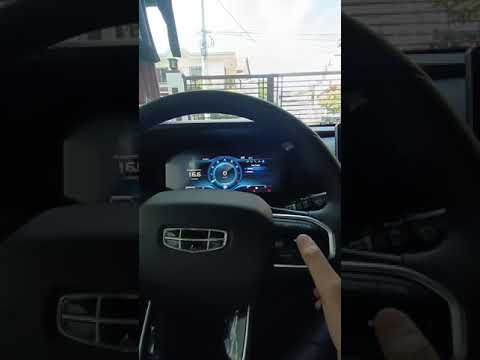
These brief steps will show us how to access the menu of the onboard computer and change the date and time on the Geely Okavango. First of all, we get on board the vehicle and start the instrument panel; then we go to the onboard computer menu by pressing the appropriate button on the steering wheel and scroll through the options until we reach "time setting", as shown in the video. At this point, we set the date and then the time, adjusting the hour first and then the minutes; we exit the menu to save the changes made, starting the engine!
Posted on 29 April 2024 by ScegliAuto
Video tutorial
Related tutorials
Geely Geely Various
Even the Geely Okavango, among the many available information provided to the driver, is equipped with a clock in the onboard computer. It is not alw…
Geely Geely Various
If you want to manually set the time displayed on your Geely Okavango, all you have to do is put into practice the following instructions. First inse…

Geely Geely Various
In this tutorial we can see how to replace the fuel filter in Geely Okavango, very simple operation. First of all we lift the rear axle with a jack, …
Other guides you may be interested in
|
Reset Service Light on Peugeot 208
What to do if the service light appears on a Peugeot 208? Here’s how to reset it. Enter the vehicle, turn on the ignition with the appropriate key (you will see the maintenance message). Turn off the ignition and press the button above the instrument cluster. Turn the ignition back on and wait for the countdown on the instrument cluster (release the button when the countdown ends). Turn off the ignition with the key, then turn it back on to check the maintenance status (the light should no longer be illuminated). If no light is displayed, everything has gone well. by ScegliAuto More videos
|
For advertising on this site Write to info@scegliauto.com
ScegliAuto is not responsible for any inaccuracy of the data in the lists. To report any inaccuracy or your business (if you own the business in question), please write to info@scegliauto.com
Number of seconds to generate the page: 0.100
(c) ScegliAuto 2026 - info@scegliauto.com - Privacy policy VAT number: IT01247470535 |
