
|
Do it yourself
| |||
| ||||


|
Model: Harley Davidson Dyna
To replace the battery on a Harley Davidson Dyna, loosen the bolts securing the battery cover located on the right side of the bike, just beneath the seat. Once these screws are loosened, you can detach the battery cover and free the battery from its housing by disconnecting the cables and unscrewing the securing bolts. After removing the old battery, connect the new one with the cables and secure it in place with the bolts, ensuring everything functions correctly.
Updated on 4 June 2026 by ScegliAuto
Video tutorial
Related tutorials
Dyna
In today's tutorial, you will learn how to remove and replace the battery on a Harley Davidson Dyna. The removal process is very simple and does not …

Dyna
To replace the battery of the Harley Davidson Dyna, you need to loosen the screws that secure the panel located immediately under the seat: this pane…

Dyna
Below are the instructions for removing and replacing the battery on a Harley Davidson Dyna motorcycle. First, place the bike on a stand and start by…
|
How to Replace and Install the Front Wheel on a Beta RR 300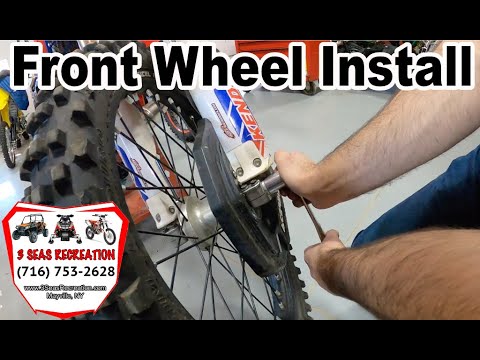
Today, we will go through the instructions to install or replace the front wheel on the Beta RR 300 enduro bike by following these simple steps. First, place your bike on a stand and lift the front wheel off the ground. Next, unscrew the fixing bolts of the front brake caliper to remove it. At this point, unscrew the central axle of the wheel, removing and possibly replacing the tyre. Then, tighten the fork nuts and reassemble everything by reversing the disassembly procedure! by ScegliAuto More videos
|
|
For advertising on this site Write to info@scegliauto.com
ScegliAuto is not responsible for any inaccuracy of the data in the lists. To report any inaccuracy or your business (if you own the business in question), please write to info@scegliauto.com
Number of seconds to generate the page: 0.009
(c) ScegliAuto 2026 - info@scegliauto.com - Privacy policy VAT number: IT01247470535 |
