
|
Do it yourself
| |||
| ||||


|
Model: Harley Davidson Fat Boy
To replace the clutch on a Harley Davidson Fat Boy, loosen the bolts securing the left-side cover of the bike to allow the gearbox oil to drain into a container. Once the oil has been collected, fully loosen the cover to access the underlying components. This will allow you to loosen all the bolts securing the clutch plates, removing them from their housing and also moving the chain. At this point, insert the new clutch, securing it with the bolts and reinstalling the cover.
Updated on 13 June 2026 by ScegliAuto
Video tutorial
Related tutorials
Fat Boy
To replace the clutch on the Harley Davidson Fat Boy, loosen the screws securing the transmission cover on the left side of the bike, just below the …

Fat Boy
Following these brief instructions, we will see how to disassemble and replace the battery of the Harley Davidson Fat Boy motorcycle. First of all, p…

Fat Boy
To change the engine oil of the Harley Davidson Fat Boy, loosen the drain plug located at the bottom centre of the bike. Once the plug is loosened, c…
|
How to Reset the Service Light on the Yamaha Xmax 250?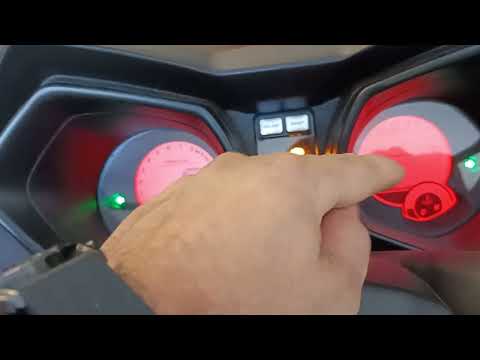
To reset the service light on the Yamaha Xmax 250, you need to insert the ignition key into the appropriate slot, so that you can turn it and switch on the instrument panel. Once this is done, press and hold the central button located on the left side of the instrument panel: the button should be held for about 20 seconds. When released, you will notice that the flashing service light has turned off: to verify that the reset has occurred correctly, you will need to switch off and then switch on the vehicle's instrument panel. by ScegliAuto More videos
|
|
For advertising on this site Write to info@scegliauto.com
ScegliAuto is not responsible for any inaccuracy of the data in the lists. To report any inaccuracy or your business (if you own the business in question), please write to info@scegliauto.com
Number of seconds to generate the page: 0.011
(c) ScegliAuto 2026 - info@scegliauto.com - Privacy policy VAT number: IT01247470535 |
