
|
Do it yourself
| |||
| ||||


Honda Honda Various - Tire pressure warning lightTire Pressure Warning Light Honda Honda Various ( / ) Honda Honda Various How to Reset the TPMS Light on a Honda Vehicle This guide explains how to reset the tyre pressure monitoring system (TPMS) light on a new generation Honda vehicle. New generation vehicles allow you to reset …Read all… Posted on 17 August 2026 by ScegliAuto  Honda Honda Various How to Reset the Tyre Warning on Honda Vehicles The procedure shown in the video is valid for HR-V Hybrid, Jazz Hybrid, Crosstar, CR-V, Civic Hybrid, and others. Turn on the instrument panel and go to the …Read all… Posted on 1 July 2026 by ScegliAuto  Honda Honda Various How to Reset the TPMS Light on 2016 Honda Vehicles The TPMS light on 2016 Honda vehicles can activate not only to remind the driver to adjust the tyre pressure but also after changing from summer to winter …Read all… Posted on 3 April 2026 by ScegliAuto  Honda Honda Various How to Reset the TPMS Light on Honda Vehicles Today, you will learn how to recalibrate the TPMS system on your Honda vehicle. Start the ignition and access the main menu screen to select the "Vehicle …Read all… Posted on 29 March 2026 by ScegliAuto  Honda Honda Various Resetting the tire pressure sensor of Honda vehicles If a yellow tire warning light with an exclamation point in the center appears on the instrument panel, it means that the TPMS system has detected a decrease …Read all… Posted on 2 May 2025 by ScegliAuto  Honda Honda Various How to Reset the TPMS Light on a Honda Vehicle Resetting the TPMS light, which indicates tyre pressure, on new generation Honda vehicles follows the same simple and quick steps for all models. The first …Read all… Posted on 10 October 2026 by ScegliAuto 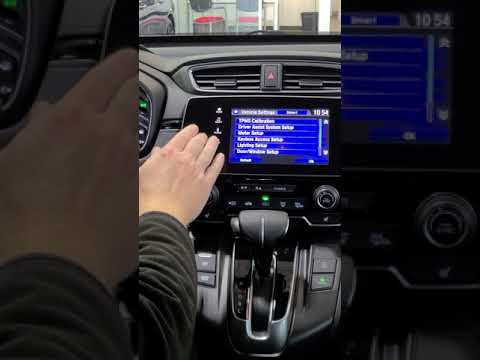 Honda Honda Various How to Reset the Tyre Light on a Honda? In this tutorial, you will see how to reset the tyre light on a Honda, a very simple and quick operation, to be performed only after restoring the correct …Read all… Posted on 16 September 2026 by ScegliAuto 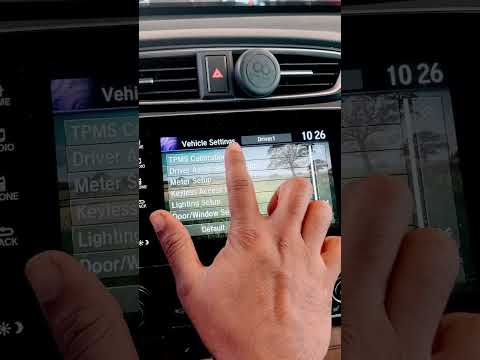 Honda Honda Various How to Reset the Tyre Warning Light on a Honda This tutorial demonstrates how to reset the tyre warning light on a Honda, a very simple and quick operation that should only be performed after restoring the …Read all… Posted on 11 September 2026 by ScegliAuto  Honda Honda Various How to Reset the Tyre Pressure Warning Light on a Honda Vehicle? Follow the steps outlined in the video to reset the tyre pressure warning light on a Honda vehicle. First, turn on the ignition and use the arrow buttons to …Read all… Posted on 31 August 2026 by ScegliAuto  Honda Honda Various How to reset the tyre pressure with Honda Connect In this video, you will see the procedure to reset the tyre pressure monitoring system using Honda Connect. The first step is to ensure that the vehicle is …Read all… Posted on 31 August 2026 by ScegliAuto Car stereo (2) Battery (4) Control arm (1) Body (2) Glove compartment (1) Key (12) Checks and maintenance (2) Headlight (1) Fog lights (1) Air filter (4) Light bulb (1) Headlight bulb (1) Tail light bulb (1) Antifreeze coolant (1) Instrument panel light (1) Clock (4) Brake pads (3) Shift knob (1) Fuel pump (1) Wheel (1) Fuse box (3) Seat (1) Parking sensors (2) Rearview mirror (2) Warning light – error code (6) Tire pressure warning light (10) Service warning light (9) Steering wheel (1) |
How to Reset the Tyre Pressure Warning Light on the Hyundai Kona?
To completely turn off the tyre pressure warning light on the Hyundai Kona, inflate the tyres until they reach the recommended pressure value, which is indicated on the sticker affixed to the driver’s door pillar. At this point, turn on the instrument cluster by inserting the ignition key into the ignition switch. Then, navigate through the menu using the arrow buttons on the right spoke of the steering wheel. When the tyre option appears, press and hold the confirmation button to turn off the warning light. by ScegliAuto More videos
|
|
For advertising on this site Write to info@scegliauto.com
ScegliAuto is not responsible for any inaccuracy of the data in the lists. To report any inaccuracy or your business (if you own the business in question), please write to info@scegliauto.com
Number of seconds to generate the page: 0.005
(c) ScegliAuto 2026 - info@scegliauto.com - Privacy policy - About us VAT number: IT01247470535 |
