
|
Do it yourself
| |||
| ||||


Honda Honda Various - KeyKey Honda Honda Various ( / ) Honda Honda Various How to replace the battery of Honda vehicle keys The following video tutorial illustrates the steps to replace the battery in the car remote for Honda vehicles. Before replacing the battery, make sure to …Read all… Posted on 28 January 2026 by ScegliAuto  Honda Honda Various How to replace the Honda remote battery Today we will explain how to replace the battery of the Honda remote control. The battery we will use is a Panasonic CR 2032 model with three volts. To replace …Read all… Posted on 11 July 2025 by ScegliAuto  Honda Honda Various How to replace the battery of Honda vehicle remote control When the key of a vehicle stops working, the cause could be the remote control battery not functioning, in these cases it is necessary to replace it. To …Read all… Posted on 5 May 2025 by ScegliAuto  Honda Honda Various How to Replace the Keyless Key Battery on a Honda SHC Today, we will explain how to replace the battery in the Keyless key for the Honda SHC. Start the replacement by inserting a flat-head screwdriver into the top …Read all… Posted on 9 October 2026 by ScegliAuto 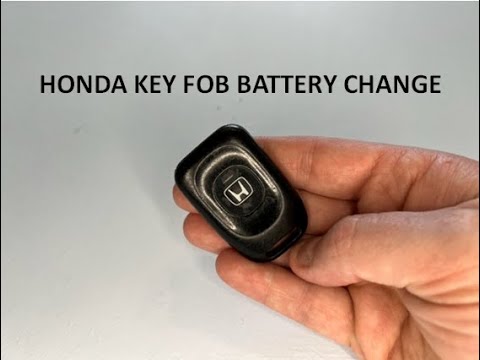 Honda Honda Various How to Replace the Key Battery on an Honda Life To replace the small button battery located inside the key of your Honda Life, simply follow these steps. First, you will need a flathead screwdriver to easily …Read all… Posted on 21 September 2026 by ScegliAuto  Honda Honda Various How to Replace the Key Battery of a Honda Click Replacing the key battery of a Honda Click is very simple, thanks to our brief tutorial. Follow these steps: First, remove the shell from the remote; Second, …Read all… Posted on 14 September 2026 by ScegliAuto  Honda Honda Various How to Program a New Remote for a Honda? In this tutorial, you will see how to program a new remote for a Honda, a very simple and quick operation. To do this, you will obviously need the remote and …Read all… Posted on 31 August 2026 by ScegliAuto  Honda Honda Various How to Replace the Key Battery on a Honda Vehicle Replacing the battery in a Honda vehicle remote is the same for all other vehicles produced by the manufacturer. This operation is very simple to perform …Read all… Posted on 21 August 2026 by ScegliAuto  Honda Honda Various How to Replace the Remote Key Battery of a Honda Clarity In this video tutorial, you will learn how to replace the battery in the remote key of a Honda Clarity. The operation is very simple: take the key of your car …Read all… Posted on 31 October 2026 by ScegliAuto
Honda Honda Various How to replace the key battery in the Honda Crosstour? If the smart key for your Honda Crosstour has suddenly stopped working due to a flat battery, don't worry as the following instructions will allow you to …Read all… Posted on 2 September 2026 by ScegliAuto  Honda Honda Various How Does the Smart Key Work on the Honda SH 300i? The Smart Key for the Honda SH 300i works from up to two metres away from the scooter and allows you to unlock the seat to access the helmet compartment and …Read all… Posted on 26 May 2026 by ScegliAuto  Honda Honda Various Replacing the Battery in Honda Key First, press the small button located on the top of the casing, near the Honda emblem, and pull out the manual spare key as shown in the video. Now, in the …Read all… Posted on 18 May 2026 by ScegliAuto Car stereo (2) Battery (4) Control arm (1) Body (2) Glove compartment (1) Key (12) Checks and maintenance (2) Headlight (1) Fog lights (1) Air filter (4) Light bulb (1) Headlight bulb (1) Tail light bulb (1) Antifreeze coolant (1) Instrument panel light (1) Clock (4) Brake pads (3) Shift knob (1) Fuel pump (1) Wheel (1) Fuse box (3) Seat (1) Parking sensors (2) Rearview mirror (2) Warning light – error code (6) Tire pressure warning light (10) Service warning light (9) Steering wheel (1) |
How to Reset the Tire Pressure Light on a MG ZS?
On the instrument cluster of the MG ZS, the tire pressure light that appears can be reset by inflating the tires to the correct pressure: this value will be indicated on the sticker attached to the driver's door pillar. Once the tires have been properly inflated, you can turn on the instrument cluster and navigate through the menu until you find the option that indicates tire pressure: if this screen shows the new values, the light will turn off; otherwise, you will need to drive for a few miles so that the sensors can read the new values and turn off the light afterward. by ScegliAuto More videos
|
|
For advertising on this site Write to info@scegliauto.com
ScegliAuto is not responsible for any inaccuracy of the data in the lists. To report any inaccuracy or your business (if you own the business in question), please write to info@scegliauto.com
Number of seconds to generate the page: 0.006
(c) ScegliAuto 2026 - info@scegliauto.com - Privacy policy VAT number: IT01247470535 |
