
|
Do it yourself
| |||
| ||||


Model: Honda Slr 650
To change the engine oil of a Honda SLR 650, start by placing the motorcycle on a flat surface and make sure the engine is cold. Remove the oil filler cap and the oil drain plug located on the oil pan. Place a container under the drain plug and unscrew it to drain the used oil. Once drained, remove the oil filter cap and empty the remaining oil. Clean the drain plug and its seat, then screw the plug back in place. Add new engine oil through the filler hole until it reaches the recommended level in the instruction manual. Make sure to use the recommended oil for your bike model. Screw the oil filler cap back on and start the engine for a few minutes to allow for proper oil distribution. Check the oil level, and finally, clean any oil splashes and check for leaks.
Posted on 3 January 2025 by ScegliAuto
Video tutorial
Related tutorials
Cb 650
Today, you will learn how to perform routine maintenance by changing the oil and oil filter on a Honda CB 650 SC. First, place the bike on its centre…

Cb 650 R
Today, discover the procedure for performing the routine maintenance service by replacing the engine oil and oil filter on the Honda CB 650 R motorcy…

Cb 650
To change the engine oil of a Honda CB 650, loosen the drain plug located at the bottom centre of the bike. Once the plug is removed, collect the use…
|
How to Replace the Clutch on a Triumph Speed Triple?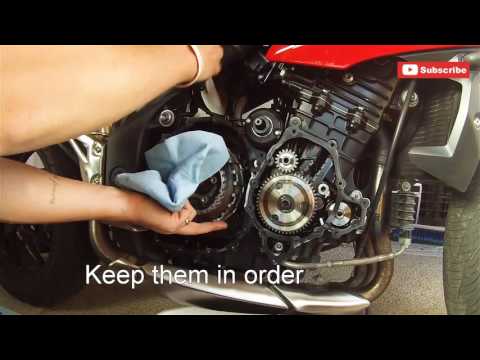
To replace the clutch on a Triumph Speed Triple, loosen the bolts securing the covers of the three casings located on the right side of the bike, namely the starter motor, the engine, and then the clutch. Once these covers are removed, you can access the bolts securing the clutch, unscrew them, and slide the clutch plates out of their housing. This will allow you to insert the new plates into their place, securing everything with the appropriate bolts; finally, reinstall all the casings. by ScegliAuto More videos
|
|
For advertising on this site Write to info@scegliauto.com
ScegliAuto is not responsible for any inaccuracy of the data in the lists. To report any inaccuracy or your business (if you own the business in question), please write to info@scegliauto.com
Number of seconds to generate the page: 0.122
(c) ScegliAuto 2026 - info@scegliauto.com - Privacy policy VAT number: IT01247470535 |
