
|
Do it yourself
| |||
| ||||


How to reset the TPMS light on the 2016 Honda Civic
Model: Honda Civic
MK 10
- Years 2016-2021
Today we will reset the TPMS warning light, related to tire pressure, on a 2016 Honda Civic without using any external diagnostic computer. We turn on the instrument panel and the vehicle's onboard computer; we press the Menu button, located on the central dashboard, to access the onboard computer settings. From the onboard computer, we select the "Tire Calibration" option and then "TPMS RESET" to update the tire pressure. After the warning light stops flashing, we restart the vehicle's instrument panel to complete the reset procedure.
Posted on 4 October 2025 by ScegliAuto
Video tutorial
Related tutorials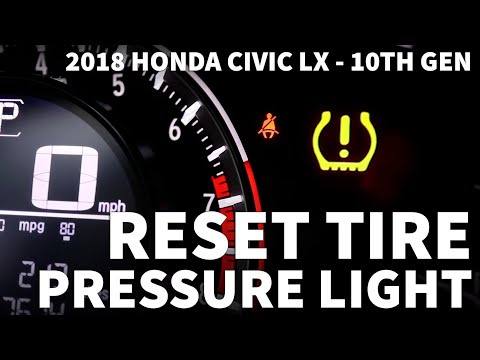
Honda Civic
(2016-2021 /
MK 10)
To reset the TPMS light on your 2018 Honda Civic, follow the steps described in this mini guide. First, ensure all tyres are inflated to the correct …

Honda Civic
(2016-2021 /
MK 10)
To reset the TPMS light on a 2020 Honda Civic, you can proceed with the reset through the onboard computer or through the instrument cluster menu. To…

Honda Civic
(2016-2021 /
MK 10)
Below we will see the instructions that will allow us to reset the tire pressure warning light on the Honda Civic. Before performing the reset of the…
Other guides you may be interested in
|
Where is the Spare Wheel in the Peugeot 5008?
This video shows where the spare wheel is located in the Peugeot 5008 and how to access it, useful in case of a puncture. As shown, the wheel is not in the usual boot compartment but underneath it, outside the vehicle. To free the wheel, first gather the tools provided, then open the boot, locate the small indicated hatch, and open it. Next, loosen the bolt just released using the large socket wrench enough to lower the wheel to the ground. by ScegliAuto More videos
|
|
For advertising on this site Write to info@scegliauto.com
ScegliAuto is not responsible for any inaccuracy of the data in the lists. To report any inaccuracy or your business (if you own the business in question), please write to info@scegliauto.com
Number of seconds to generate the page: 0.881
(c) ScegliAuto 2026 - info@scegliauto.com - Privacy policy VAT number: IT01247470535 |
