
|
Do it yourself
| |||
| ||||


How do you replace the battery of the Hyundai I20 key?
Model: Hyundai I20
GB, IB, MK 2
- Years 2014-2021
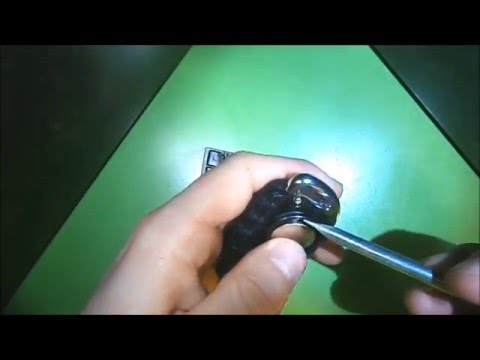
At some point, we notice a lack of response from the key to the usual commands, such as opening and closing the car, starting the engine, etc. Most likely, the battery inside the remote control is low, so it needs to be replaced and it is not necessary to go to a service center, as shown in the video. By removing the key for emergency opening from inside the same remote control, you can leverage it with a small flathead screwdriver and open the shell exactly in half. Now all that remains to be done is to remove the battery from its slot and replace it with one of similar technical characteristics, then closing the shell.
Posted on 21 January 2025 by ScegliAuto
Video tutorial
Related tutorials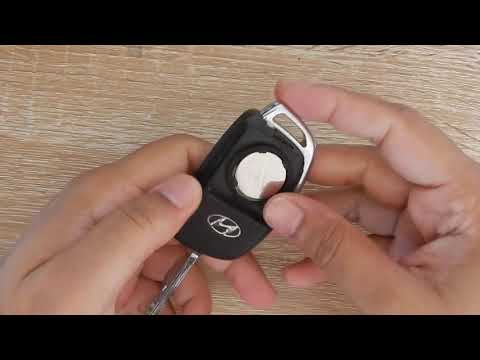
Hyundai I20
(2014-2021 /
GB, IB, MK 2)
Is the battery in your Hyundai I20 key dead? Want to replace it? Here's how to disassemble the key. Take the remote key and separate the piece: remov…

Hyundai I20
(2014-2021 /
GB, IB, MK 2)
To replace the battery on the Hyundai i20, you need to open the hood in order to access the components located inside the engine compartment: on the …
Hyundai I20
(2014-2021 /
GB, IB, MK 2)
Is the Hyundai key battery flat? Disassemble the I20 key and replace the battery. Take the key and press the release button. Once the metal key pops …
Other guides you may be interested in
|
How to Set the Clock on the Opel Zafira
Setting the clock to the current Italian time on an Opel Zafira model B is a very simple operation, also made easier by our short instructional video. The first step is to turn on the instrument panel and then press the SETTING button located on the central dashboard. Once inside the menu, use the buttons to navigate to the clock setting. Adjust the hours and minutes and restart the instrument panel. If the clock does not update, it may be necessary to diagnose the radio or the vehicle's control unit. by ScegliAuto More videos
|

|
For advertising on this site Write to info@scegliauto.com
ScegliAuto is not responsible for any inaccuracy of the data in the lists. To report any inaccuracy or your business (if you own the business in question), please write to info@scegliauto.com
Number of seconds to generate the page: 0.208
(c) ScegliAuto 2026 - info@scegliauto.com - Privacy policy VAT number: IT01247470535 |
