
|
Do it yourself
| |||
| ||||


How do you reset the Service light of the Hyundai Tucson?
Model: Hyundai Tucson
TL, MK 3
- Years 2015-2021
The Service light that appears on the instrument panel of the Hyundai Tucson can be reset by turning on the instrument panel, turning the key in the ignition switch: then you will need to press the MENU button and scroll to select the "Service intervals" option. This will display a screen where you can select the "Reset" option: this will reset the maintenance interval and the corresponding light will disappear from the instrument panel. You can verify that the reset of the light has been done correctly by turning off and on the panel using the key.
Posted on 14 February 2025 by ScegliAuto
Video tutorial
Related tutorials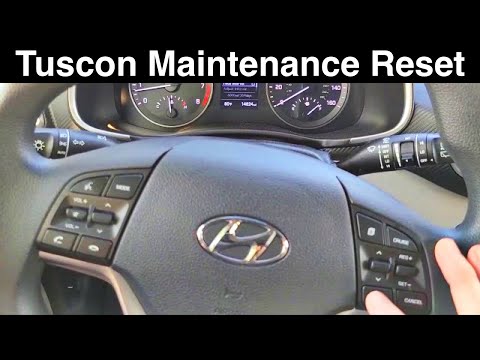
Hyundai Tucson
(2015-2021 /
TL, MK 3)
To reset the service light on a Hyundai Tucson, turn on the ignition by rotating the key in the ignition switch: then press the MENU button and scrol…

Hyundai Tucson
(2022-2026 /
NX4, MK 4)
It will be possible to reset the Service light on the instrument panel of the Hyundai Tucson by turning on the instrument panel, inserting the igniti…

Hyundai Tucson
(2015-2021 /
TL, MK 3)
On the instrument panel of the Hyundai Tucson, it will be possible to make the Service light disappear by turning on the instrument panel after inser…
Other guides you may be interested in
|
How to Connect the Cables to the Battery of the Citroen Xsara Picasso?
In this tutorial, you will see how to connect the cables to the battery of the Citroen Xsara Picasso, useful if you need to recharge it or perform an emergency start. First, ensure the key is not inserted, then open the bonnet and move to the front of the left headlamp. Next, locate the bolt just behind the filter box and connect the positive terminal clamp to it. Now you can connect the negative terminal to any point on the chassis, such as the indicated point. Once the operation is complete, ensure you disconnect the negative first and then the positive. by ScegliAuto More videos
|

|
For advertising on this site Write to info@scegliauto.com
ScegliAuto is not responsible for any inaccuracy of the data in the lists. To report any inaccuracy or your business (if you own the business in question), please write to info@scegliauto.com
Number of seconds to generate the page: 0.172
(c) ScegliAuto 2026 - info@scegliauto.com - Privacy policy VAT number: IT01247470535 |
